

Anıl Helvacı
|
2022-08-15
|
45 mins to read
As BytePitch we have a considerable amount of work resource allocated for blockchain development ranging from a variety of frameworks. In this article we will go over a lending protocol we built on Agoric.
Introduction: What is Agoric?
How does Agoric work and what it brings to the table?
What's innovative about Agoric is that it aims to bring over 10 Million JavaScript developers out there to DeFi space. DeFi space has a lot of protocols/apps yet to be built to meet the market demand and bring the true power of blockchain to real life. Agoric plans to solve this problem by drawing JavaScript community to smart-contract development. However, in the mean time it doesn't let go the security aspect of blockchain technology which is so crucial to the decentralized applications. So Agoric introduced its own framework of JavaScript. This framework consists of four main parts;
Hardened JavaScript
Eventual send with E()
Far(), Remotable and Marshaling
Notifiers and Subscriptions
Context
Lending and borrowing have always been one of the most crucial parts of world economy. Until now, banks have been the main institutions who took on this job. With the development of Web3 and blockchain technologies gaining more and more power, we now do not have to rely on banks to evaluate us as "low-risk" and provide us with the liquidity we need.
Enter Compound Finance
The numbers above are correct at the time of writing this article and probably will change later.
How does Compound Finance work?
In Compound Finance users can either supply liquidity to one of the pools or they can borrow some asset from one of the pools.
Supply Assets
Users supply an asset to one of the existing pool and receive a cToken in return. For instance, if you supply ETH to the ETH pool you receive cETH in return. You can use this cETH to redeem your underlying, meaning ETH, assets later. There's an exchange rate between the underlying asset and the protocol asset in each pool, we'll cover that in detail later in this article.
There are two main incentives for supplying liquidity to the protocol;
- Earning Interest: Users earn interest per block. The longer the liquidity stays the more money users will make.
- COMP Governance Token: COMP is the official governance token for Compound protocol. Users receive these tokens as they interact with the protocol. Thus, when a user supplies an asset to one of the pools they earn COMP tokens as well. COMP token is listed on many of the markets so users can turn them into some other asset. Also they can choose to hold their COMP tokens and vote on governance proposals. Participating in another liquidity mining protocol and earning rewards might be an option too.
Borrow Assets
Borrowing an asset from one of the pools is another essential part of Compound Finance. The main difference between borrowing from a decentralized protocol instead of a traditional bank is that decentralized protocols do not ask questions like below before they lend you the money;
Who are you?
How old are you?
Where do you live
Are you married?
Do you have children?
What do you do for living?
How much do you make a year?
Have you been working in your last job longer than one year?
Did you pay your prior debts?
......
We can extend the list but you get the idea. The banks ask these questions in order to evaluate you'll pay your debt or not. So it's a matter of risk calculation, if people do not pay their debts institutions who gave them the money will go bankrupt. There's quote that explains this situation very well, I believe:
So how does decentralized lending protocols like Compound not go bankrupt? How do they get away with lending money to everyone whoever is willing to pay the interest?
- Under-collateralization: The word 'under' means that value of the collateral requested from the borrower is less than the value of the actual debt. Say if you are to borrow $100 and the strategy is under-collateralization with %30 collateralization factor, it means that you should give away $30 of collateral before you borrow money. This strategy is like the more traditional one compared to the other one.
- Over-collateralization: The word 'over' means that the value of collateral should be higher than the value of debt. For instance, if you have $100 to use as collateral and the collateralization factor is %80 then you can borrow $80 at most. The main idea is to secure the lender in a way that even if the borrower doesn't pay their debt, the lender does not lose money.
Relationship Between Over-Collateralized Debt and Liquidation
An Example
Think of it like this, in the earlier example we said that there's $100 as collateral and max value of debt is $80. Say the borrower borrowed $78 worth of some asset as debt. This is a dangerous situation because the liquidation will occur as soon as the value of debt exceeds $80. Let's imagine we have a very irresponsible borrower and they refuse to pay their debt. As interest accrues on the principal debt, it is for sure that at some point the value of debt will reach the liquidation limit which is $80(max debt). The borrower insists on not paying the debt and the value of debt reaches to $80. At this point the lending protocol initiates liquidation and sells the collateral in order to cover the value of debt. Once the collateral is sold, the borrower has no debt left and their loan is closed. There are other possibilities that might trigger liquidation but here we just wanted to talk about the process.
Several Strategies To Sell The Collateral
Sell the collateral in an Automated Market Maker(AMM)
Sell the collateral yourself with a slightly lower price than the market price and expect people to take advantage of this opportunity
Compound uses the later strategy in order to pursue full decentralization but we'll use the first one in our protocol since Agoric has its own native AMM.
Dynamic Rates
One other cool feature of Compound Finance is that its rates, whether it is the exchange rate between the underlying asset and the cToken or the interest rate charged on every debt, are dynamic. Meaning they change in response to current market situation. This is good because it enables the market to balance itself and not run out of liquidity.
For example, let's say there's $1000 of some underlying asset in a pool and also $100 of total debt lended out there. At this point of the market let's also say the annual interest rate applied to loans is %x. If someone borrows $50 more now the current market state is changed to, $950 of underlying asset liquidity and $150 total debt out there. So, for the sake of dynamic interest rate new annual interest rate is now %y and we are sure that y > x because the underlying liquidity is now less than what it was so the price of money, interest rate, is now increased.
There are three important rates for Compound protocol;
Utilization Ratio
Borrow Rate
Exchange Rate
Below are the formulas for those rates;



Pool Based Lending Protocol On Agoric
After some context we are now ready to talk about our version of a pool based lending protocol. Before we dive in you'll need some prerequisites in place;
Prerequisites
- : Agoric's interpretation of digital assets, or tokens.
- : Agoric's Smart contract development framework. Protects users' assets from bugs and malicious developers.
- : Basic logic used when interacting with contracts.
- : An Automated Market Maker where you can trade various tokens whether they're native Agoric tokens or tokens belong to some other network and imported via IBC.
- : An interface between Zoe and price oracles.
Overview
Deposit Money
Borrow Money
Redeem Deposited Money
Adjust Loan
Close Loan
Functionality for these operations is distributed among multiple components. An high level overview of protocol components can be found below.
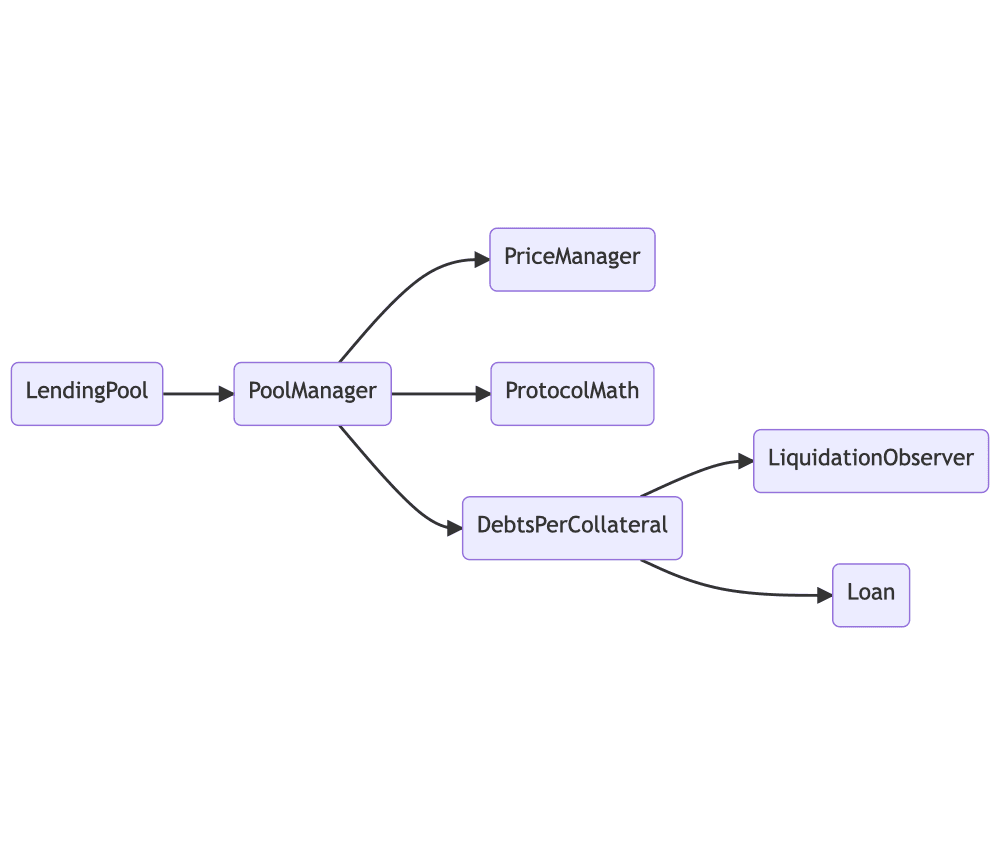
LendingPool
PoolManager
PriceManager
ProtocolMath
DebtsPerCollateral
Loan
LiquidationObserver
A Sample User Scenario
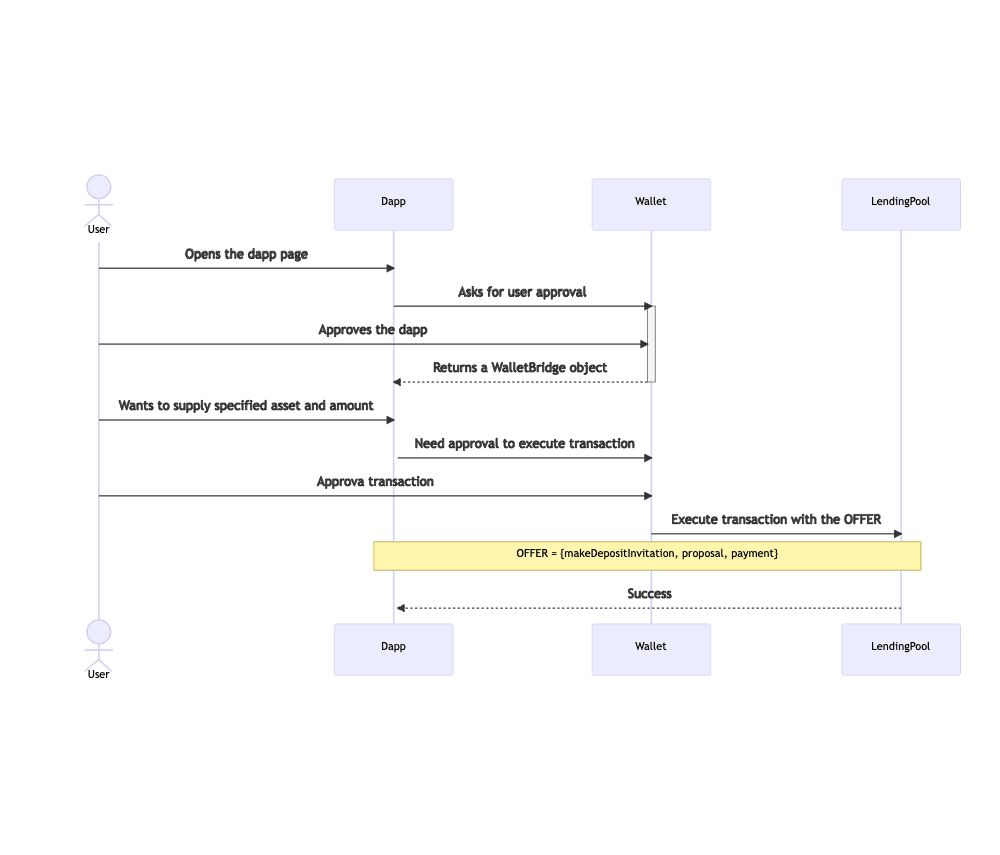
A simple but powerful example of an interaction with our protocol can be the scenario where a user deposits money into a pool. Diagram below can help you understand what an end-to-end interaction would look like.
Setup Your Environment
Prerequisites
You need to have the below dependencies in order to build and use the agoric-sdk.
Platform: Linux shell or equivalent
Node.js: An LTS version >= 14.x.x
yarn
git
Install agoric-sdk
Clone this repo any location you want in your machine
git clone https://github.com/Agoric/agoric-sdk.git
cd agoric-sdk
git checkout beta
git pull
Install dependencies
yarn install
Add agoric binary to the path
yarn link-cli ~/bin/agoric
Check the version
agoric --version
Our protocol is built on the agoric-sdk beta branch so the version should be 0.15.0
Startup The Dapp
Get the code and checkout the blog/bytepitch branch.
git clone https://github.com/anilhelvaci/dapp-pool-lending-protocol.git
cd dapp-pool-lending-protocol
git checkout blog/bytepitch
git pull
Start a simulated chain
In Agoric there are two types of local test chains; a sim-chain and a local-chain. A sim-chain, simulated chain, is where we can test our dapps and contracts but there's no transaction cost. So it's simulated, not real. On the other hand there's a local-chain which is based on the cosmos-sdk, therefore it's based on GoLang. Starting a local-chain requires building some go packages. If you plan to test with multiple clients interacting with the same chain, local-chain is the way to go. Check for further information.
Go to dapp folder and start the sim-chain;
cd dapp-pool-lending-protocol
agoric start --verbose --reset
For Agoric CLI reference see .
Leave that terminal running and open a new one;
cd dapp-pool-lending-protocol
agoric deploy contract/deploy/deploy.js api/deploy.js
A Word On Deployment
- contract/deploy/deploy.js: Sets up the required elements for the environment such as AMM, price authorities, faucets for the test tokens and then starts the actual LendingPool contract.
- api/deploy.js: This scripts calls several other scripts in order to get tokens from faucets, create and add some liquidity to the pools. Basically we bootstrap the protocol with this script.
Once the deployment is done, start your wallet ui;
agoric open --repl
This command should open a browser automatically. Then open a new terminal and start the client ui;
cd dapp-pool-lending-protocol/ui
yarn start
Interact With The Dapp
To interact with the dapp, you mast approve it in your wallet. Go to your wallet and approve the dapp. Then go to localhost:3000, you should be able to see something like below;
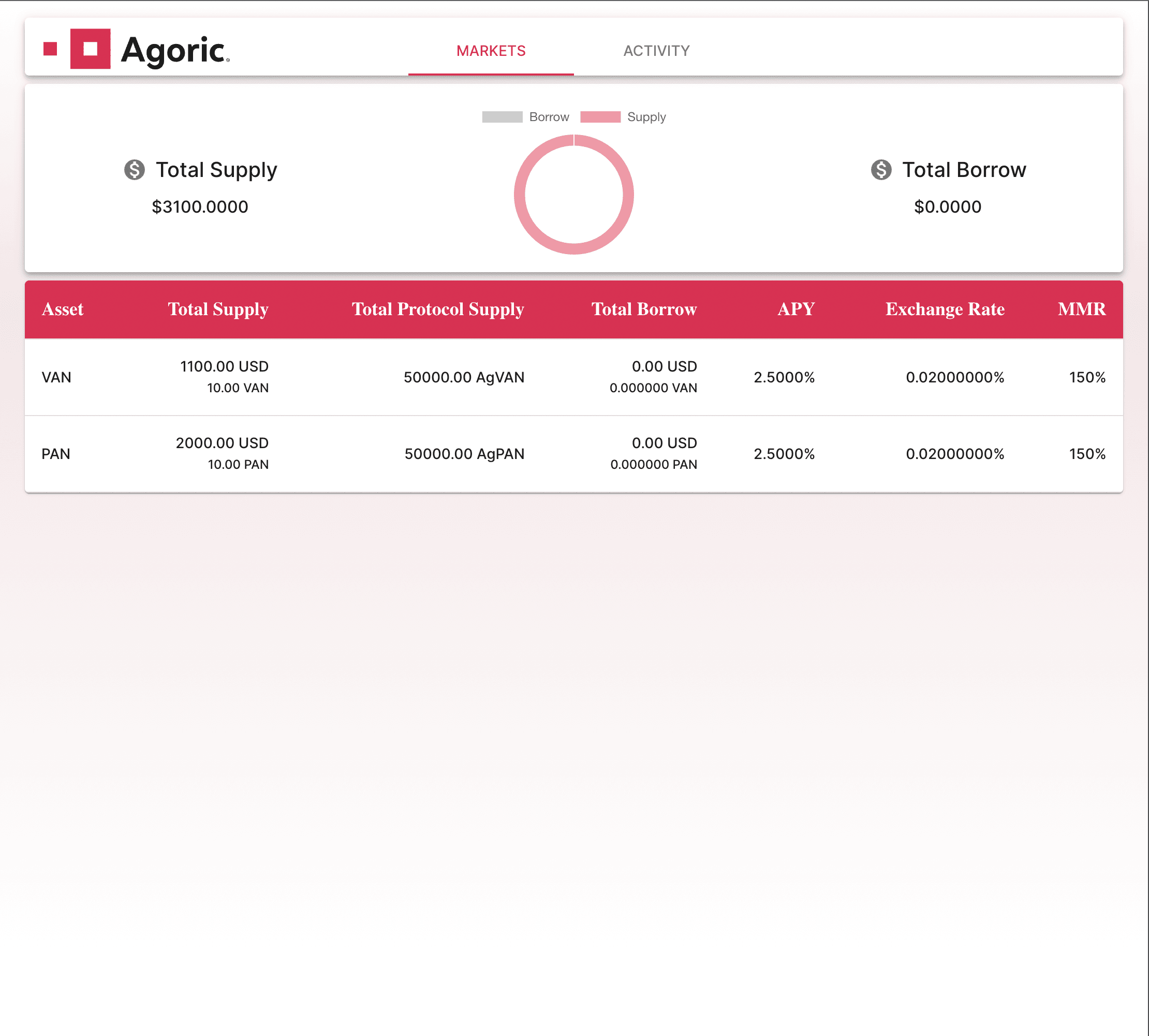
We have two main tabs in our app;
- Markets: Displays general market data and enables you to Supply or Borrow money from a selected pool.
- Activity: Shows the user's activity such as deposited assets and borrows. Also enables the user Redeem, Close or Adjust Loan.
Above screenshot belongs to the 'Markets' tab. Most of the data displayed there is self-explanatory here is some explanation for the ones that are not;
- APY: Annual Percentage Yield is basically how much interest one is going to pay for a given debt and how much interest one is going to earn for their supplied assets. In compound these numbers are different from each other because of something called 'ReserveFactor'. ReserveFactor is subtracted from the Borrow APY to calculate the Supply APY. In our protocol we do not use a ReserveFactor so Supply and Borrow APYs are the same, that's why we have only one APY field on our dashboard.
- MMR: Minimum Margin Requirement is the ratio between the value of collateral and the value of debt. This means that if you put $150 of collateral you can borrow $100 at most.
If you switch to the 'Activity' tab;
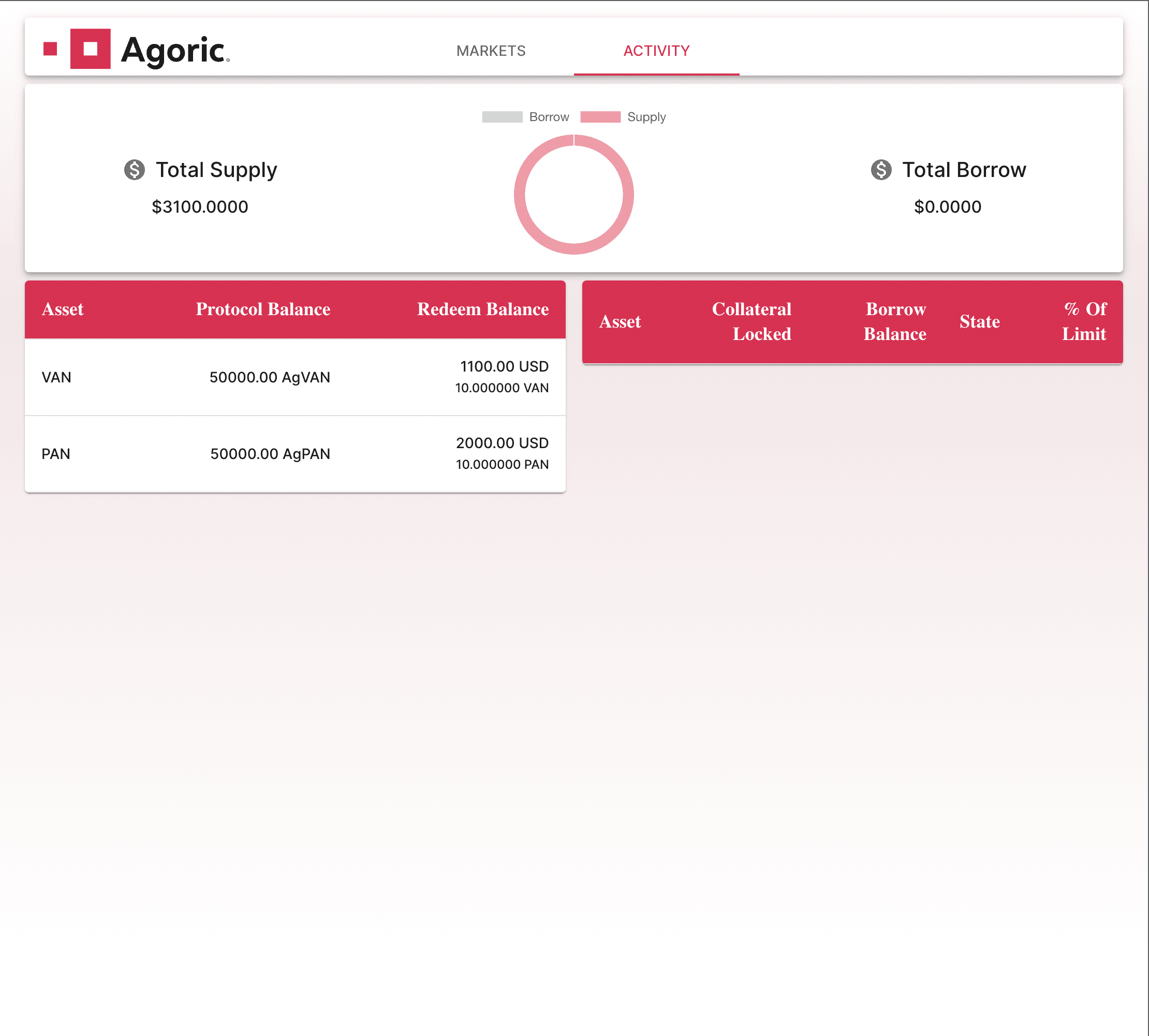
Here we list the supplied assets and borrowed assets per pool.
As I mentioned in the section about deploy scripts, we bootstrap the protocol with some liquidity already pushed into it. That's why deposits side not empty.
I'll walk you through a full scenario where full functionality of the protocol where a user(you);
Deposit money to a pool
Borrow money from another pool using the protocol tokens you received when you deposit money to the first pool
Adjust your loan (pay some debt)
Close your loan (pay all your debt and get collateral in return)
Redeem your deposited money
Deposit Money
You might notice that the numbers you see in supply screenshots is inconsistent with rest of the screenshots, that's because I took them out of sync from the rest of the sequence.
Click on VAN market and below dialog should open
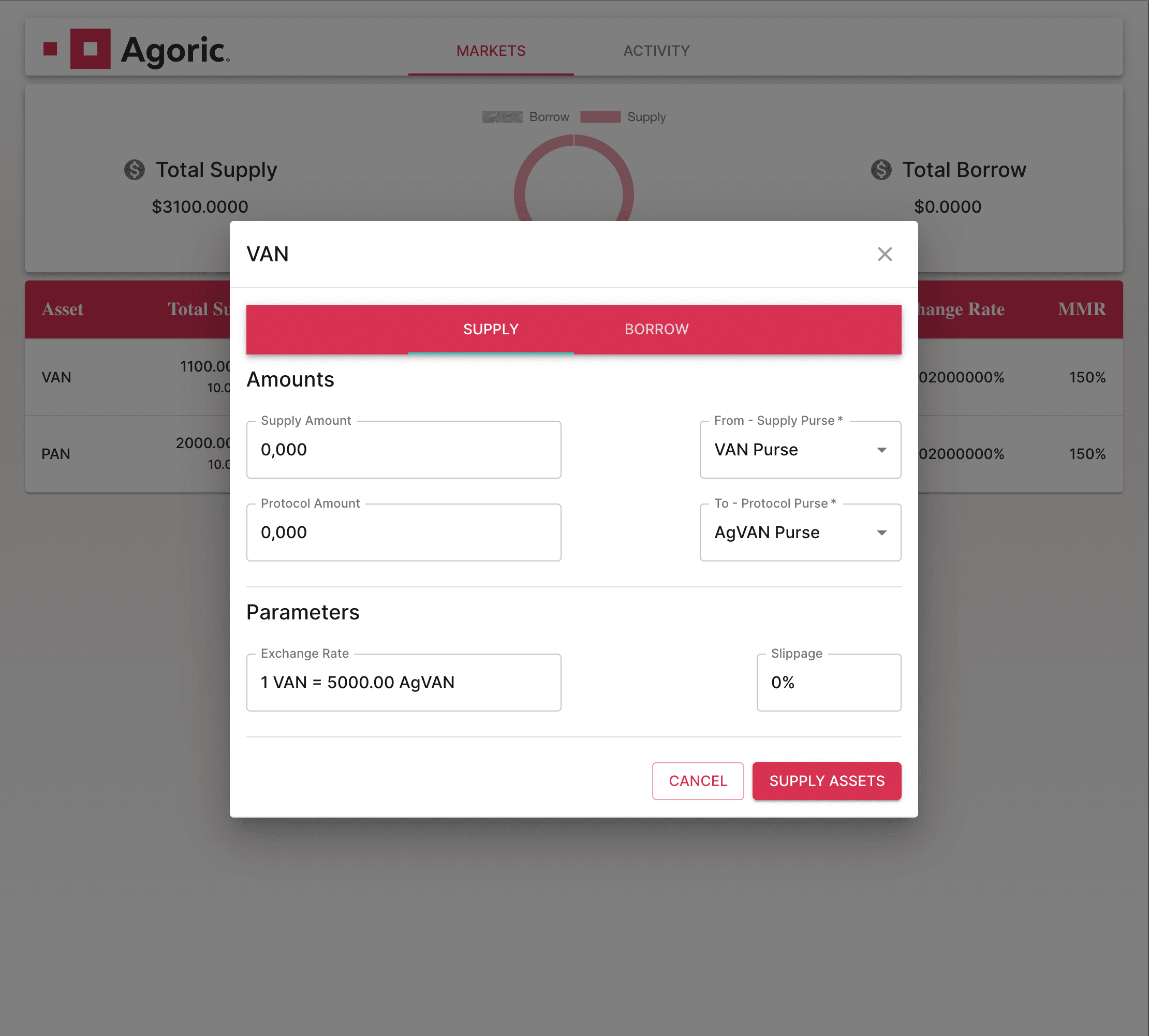
Here, enter the amount you wish to supply and the protocol token you'll receive automatically be calculated, you can also specify slippage rate to protect your transaction from the sudden price changes of the market.
Then go to your wallet and approve the below offer;
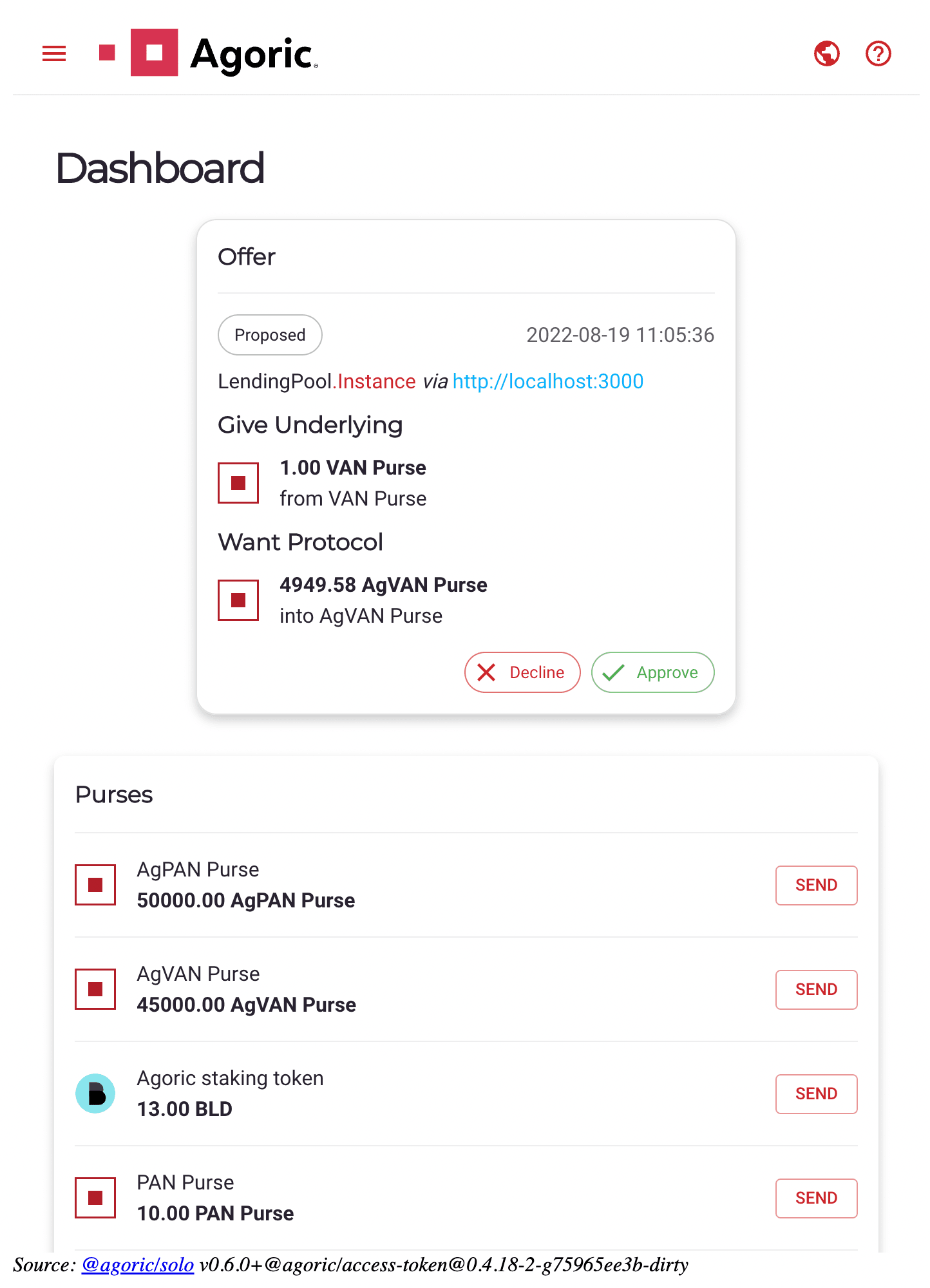
Click 'Approve' then wait for the numbers in the purses change. Here we should care about VAN and AgVAN purses. Below is before transfer;
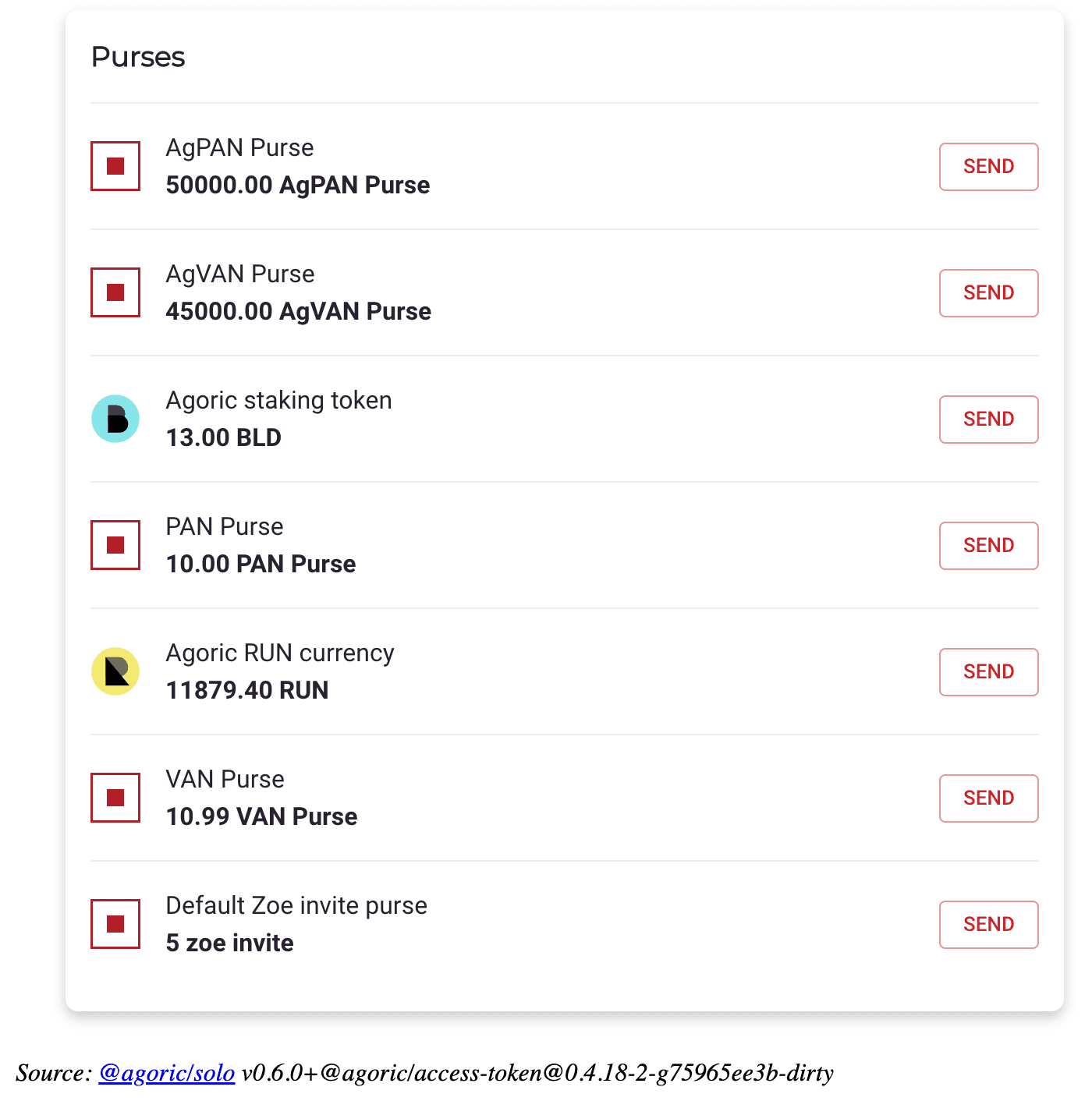
And this after the transaction;

Borrow Money
Let's borrow some VAN. Click on VAN market and switch to the 'Borrow' tab in the dialog. Then enter how much you want to borrow;

Go to your wallet and approve the transaction once you hit 'Borrow';
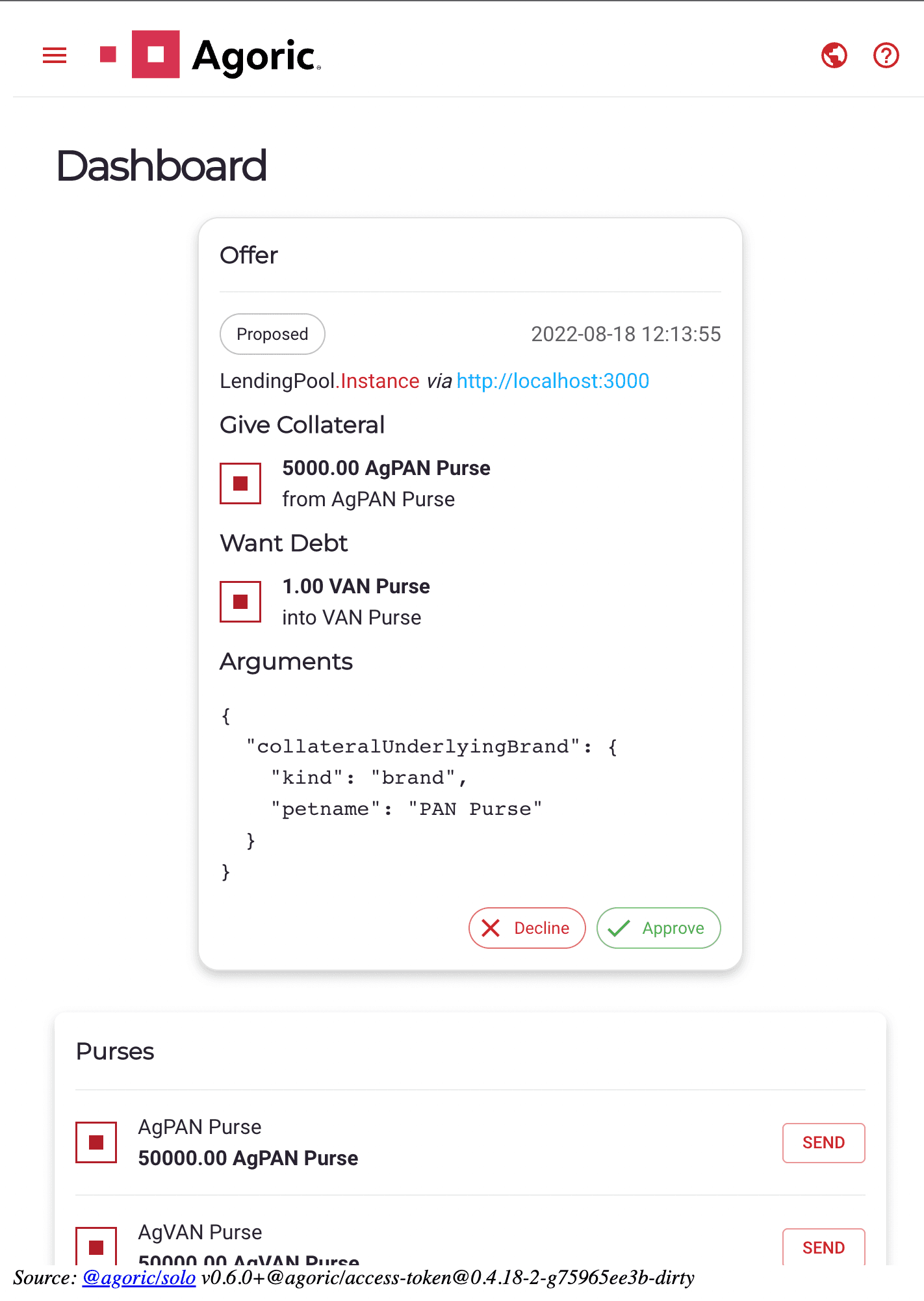
Purses will change from this;
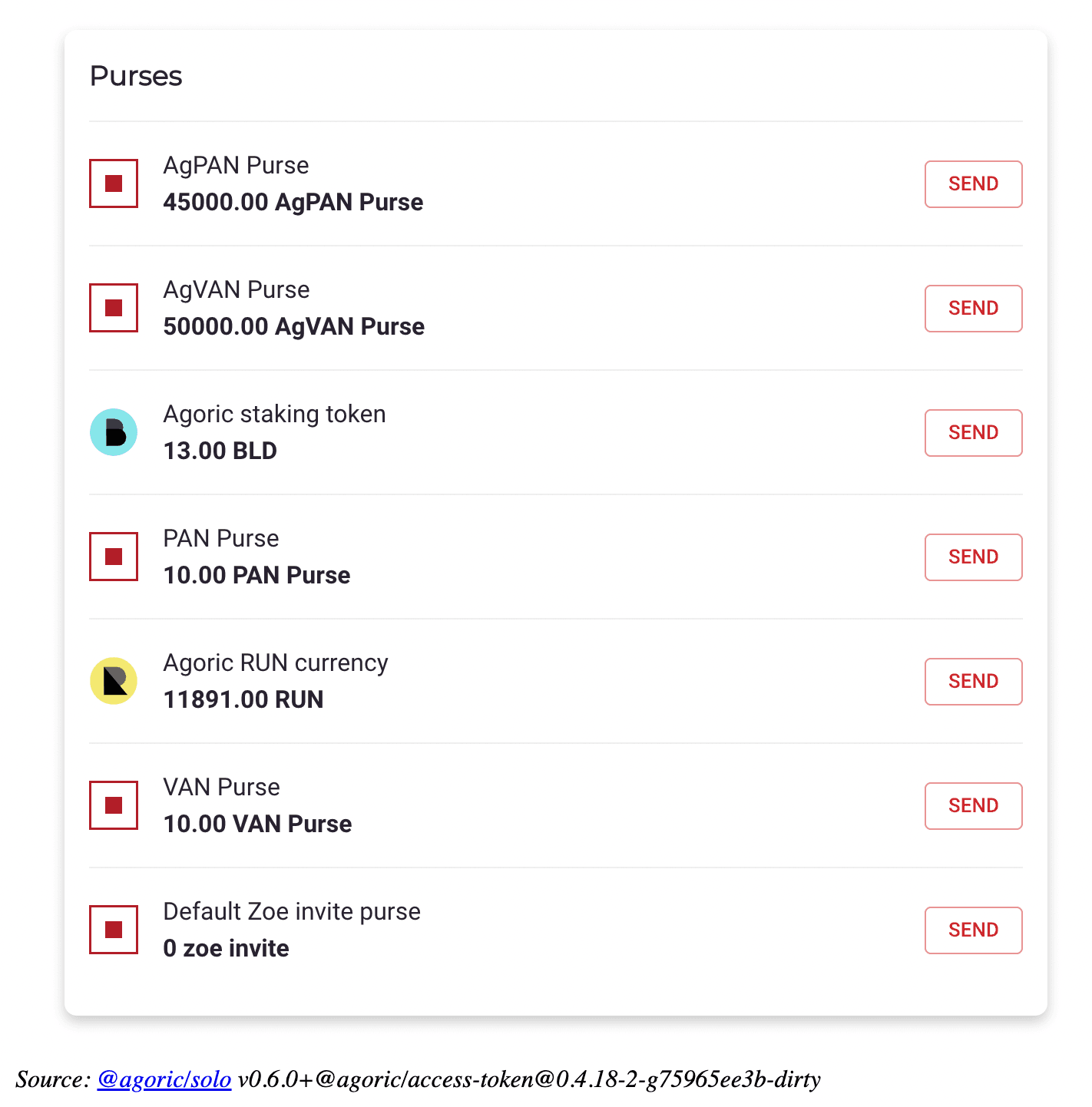
To this;
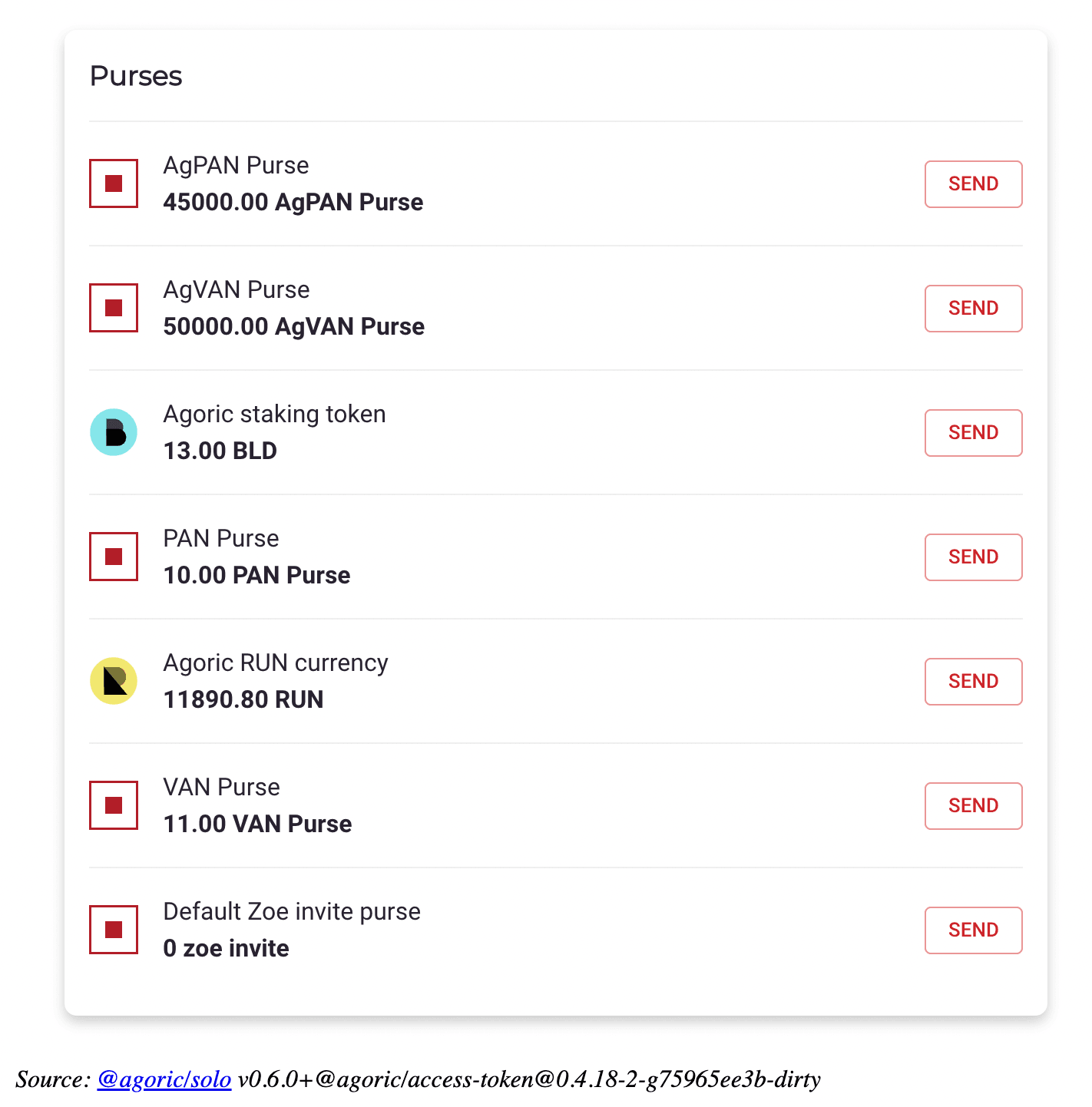
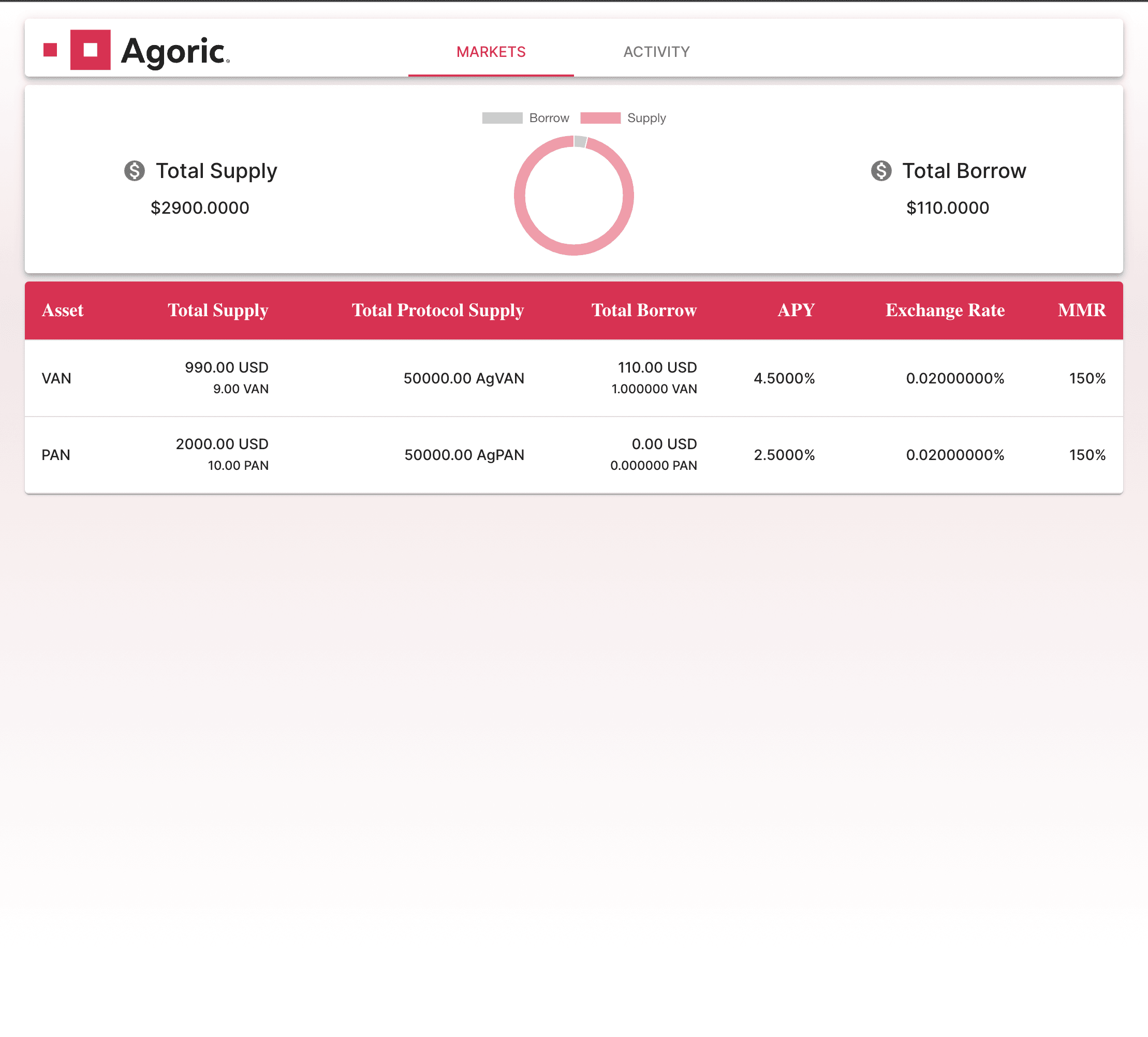
You can see that 'TotalBorrow' for the VAN market is now increased, 'TotalSupply' is decreased and 'APY' is increased as there's less liquidity in the pool so the value of money is increased. Also you can see that 'TotalBorrow' for the user in profile is now $110.
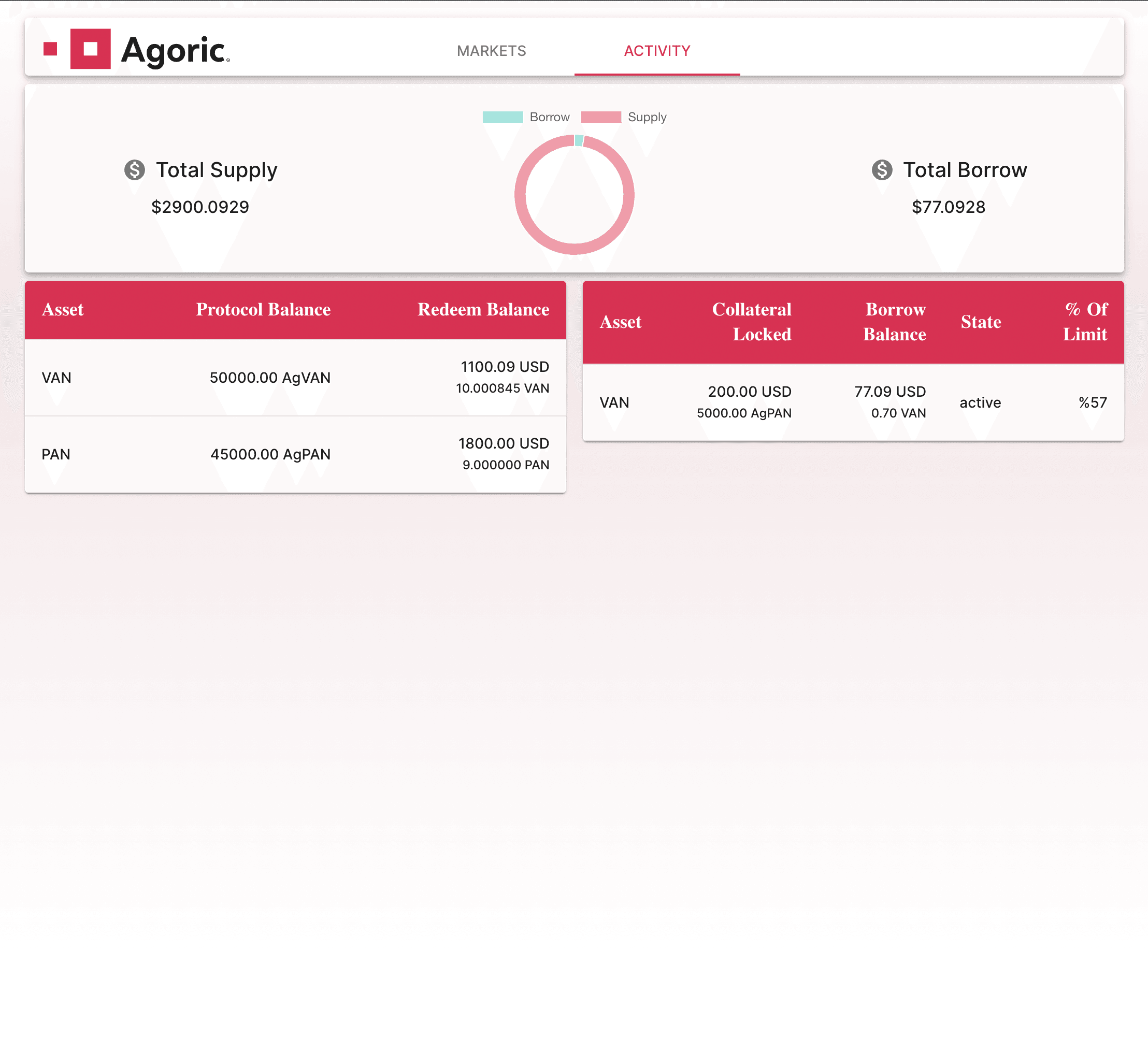
You can now view your loans in the 'Activity' tab;
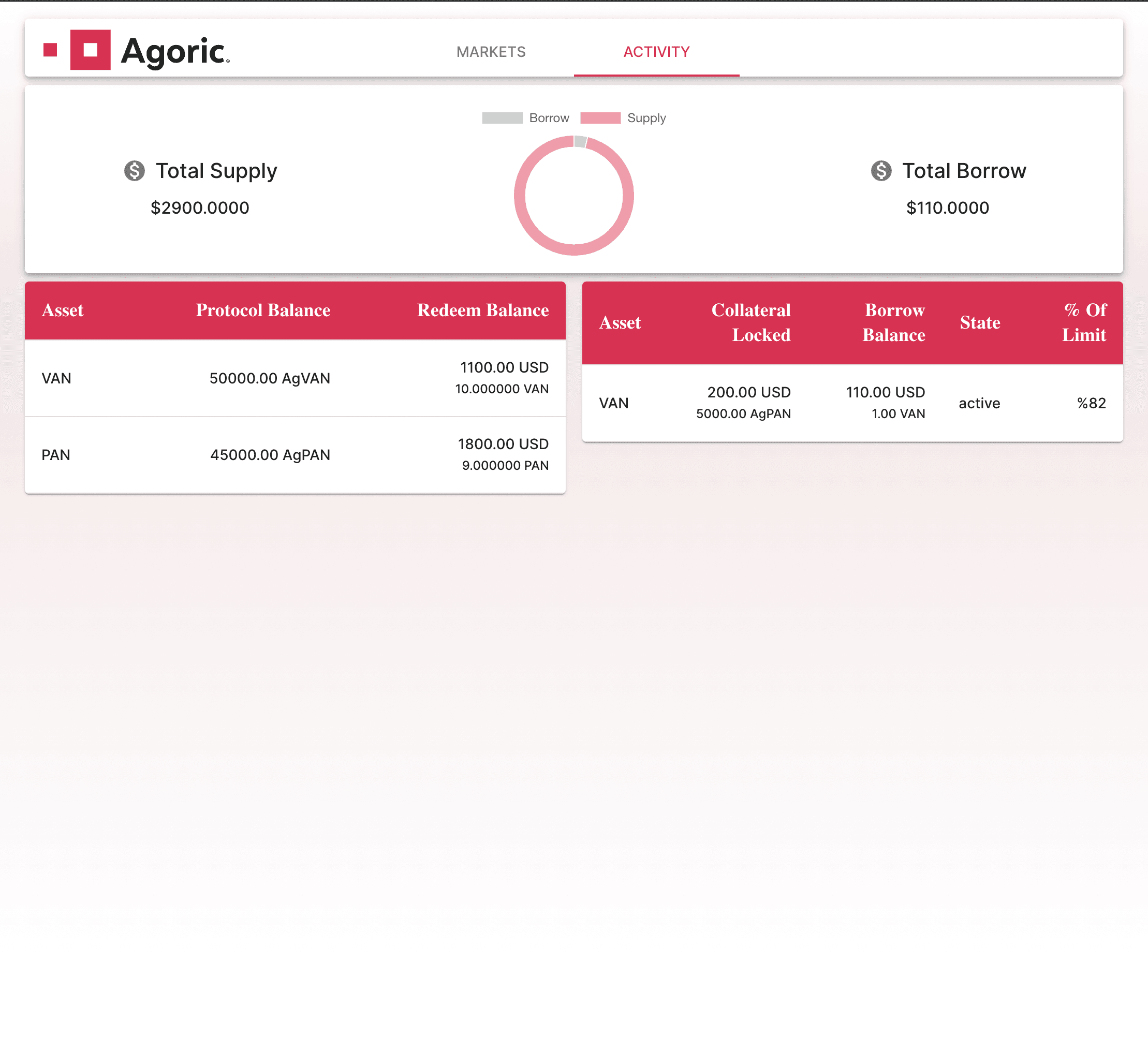
Notice that the exchange rate did not change because there's no interest accrued yet. So let's accrue some interest.
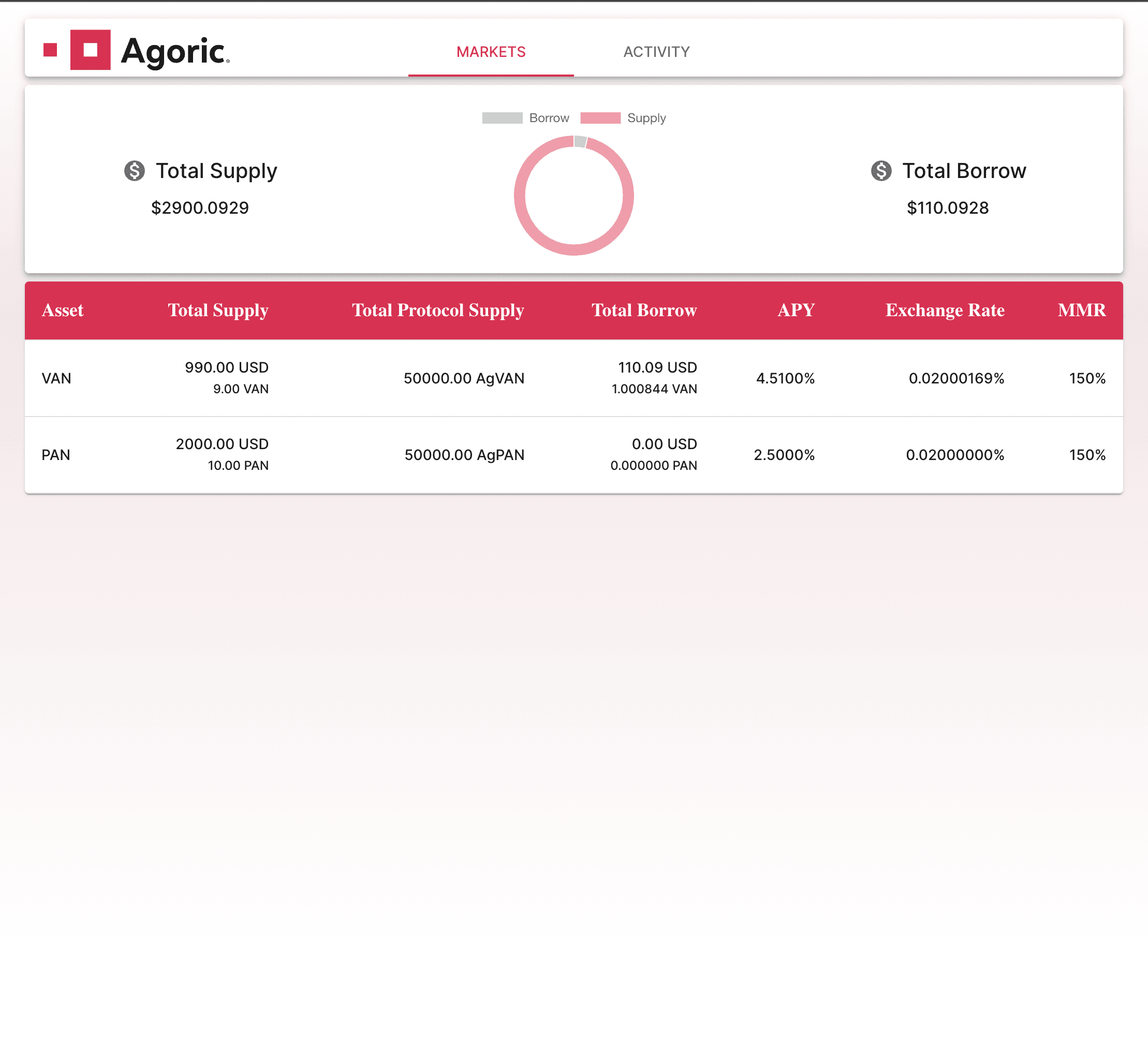
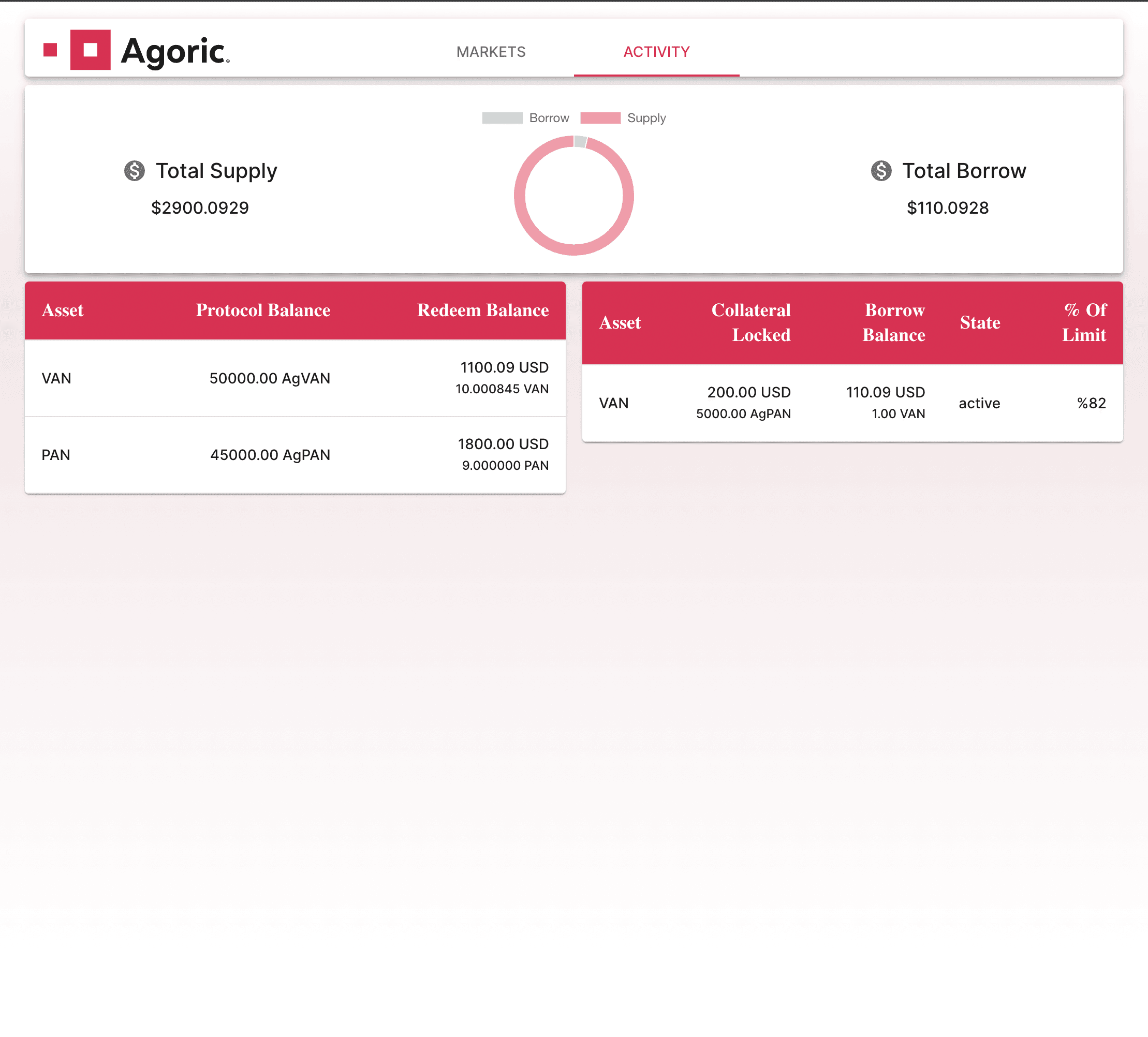
From the below screenshot you should notice that total borrows for both market and user profile is increased and also the exchange rate for VAN market is Increased also.
You can see that current debt for the loan is increased in 'Activity' tab also;
Adjust Loan
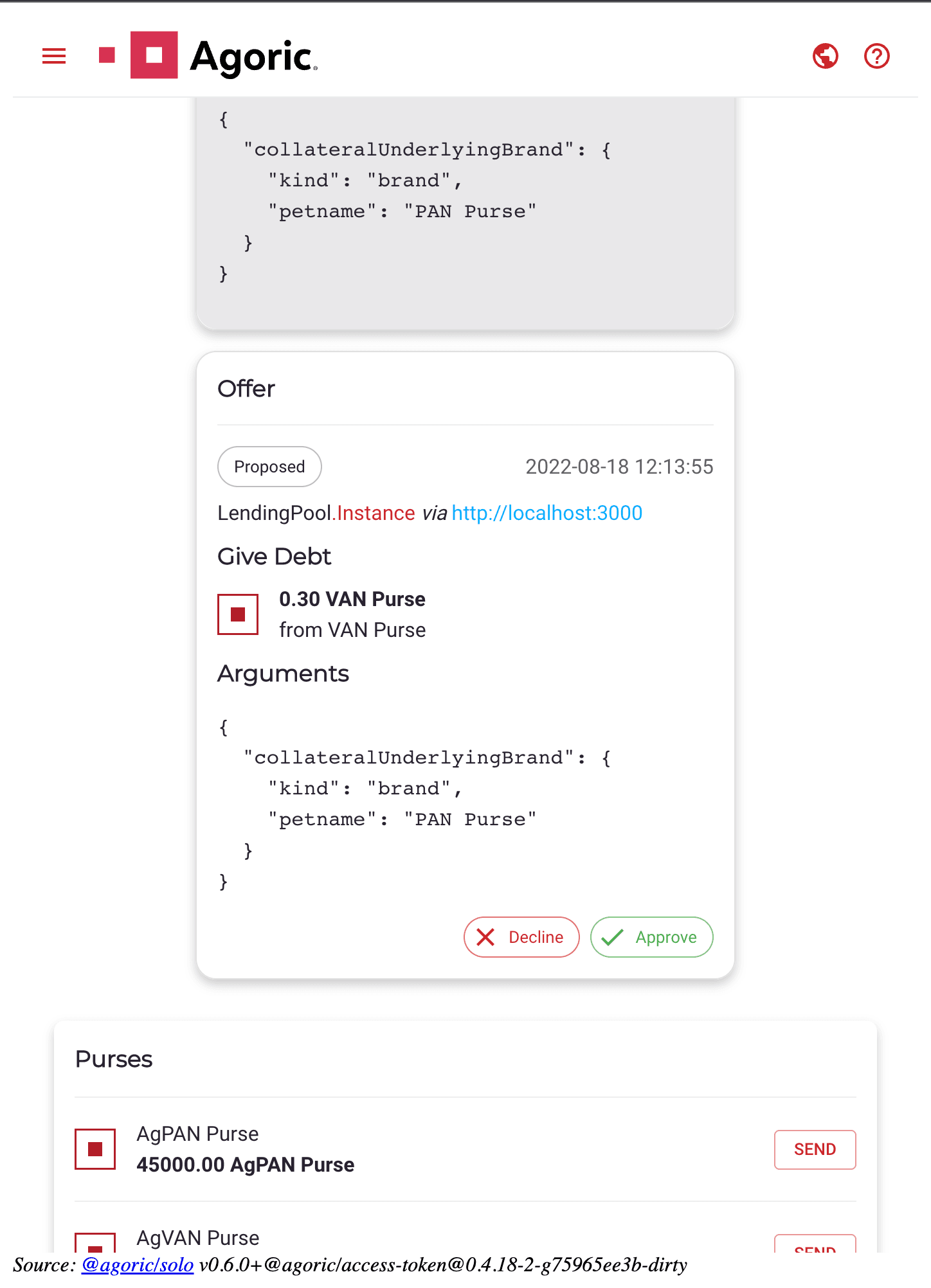
Let's pay some of our debt now. Go to 'Activity' tab and click on your loan. From the dialog opened, switch to 'Adjust' tab. From this dialog you can also request some of your collateral but here we'll just pay some of our debt.

Again, go to your wallet and approve the below transaction;
Purses before transaction passes;
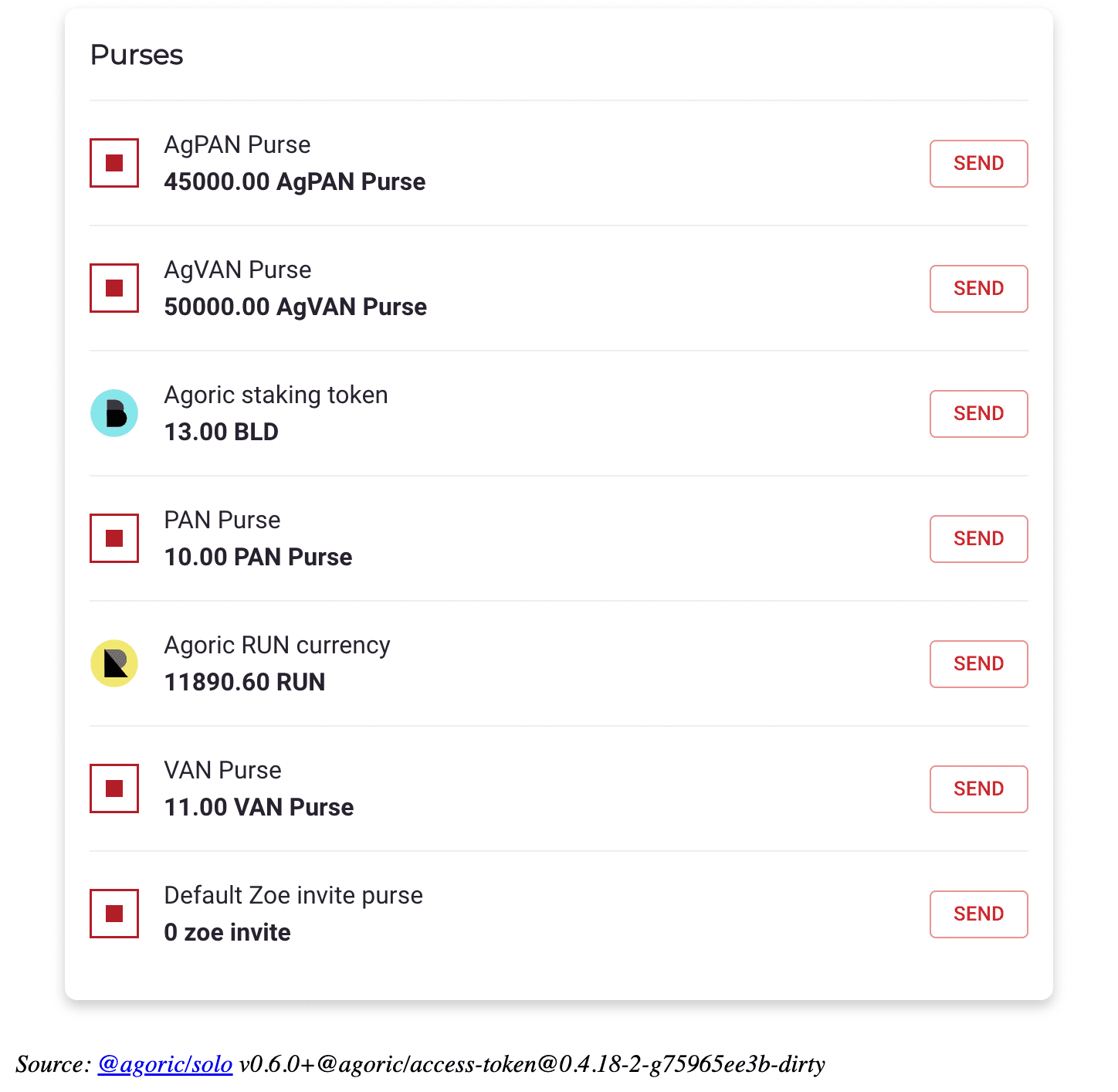
And after,
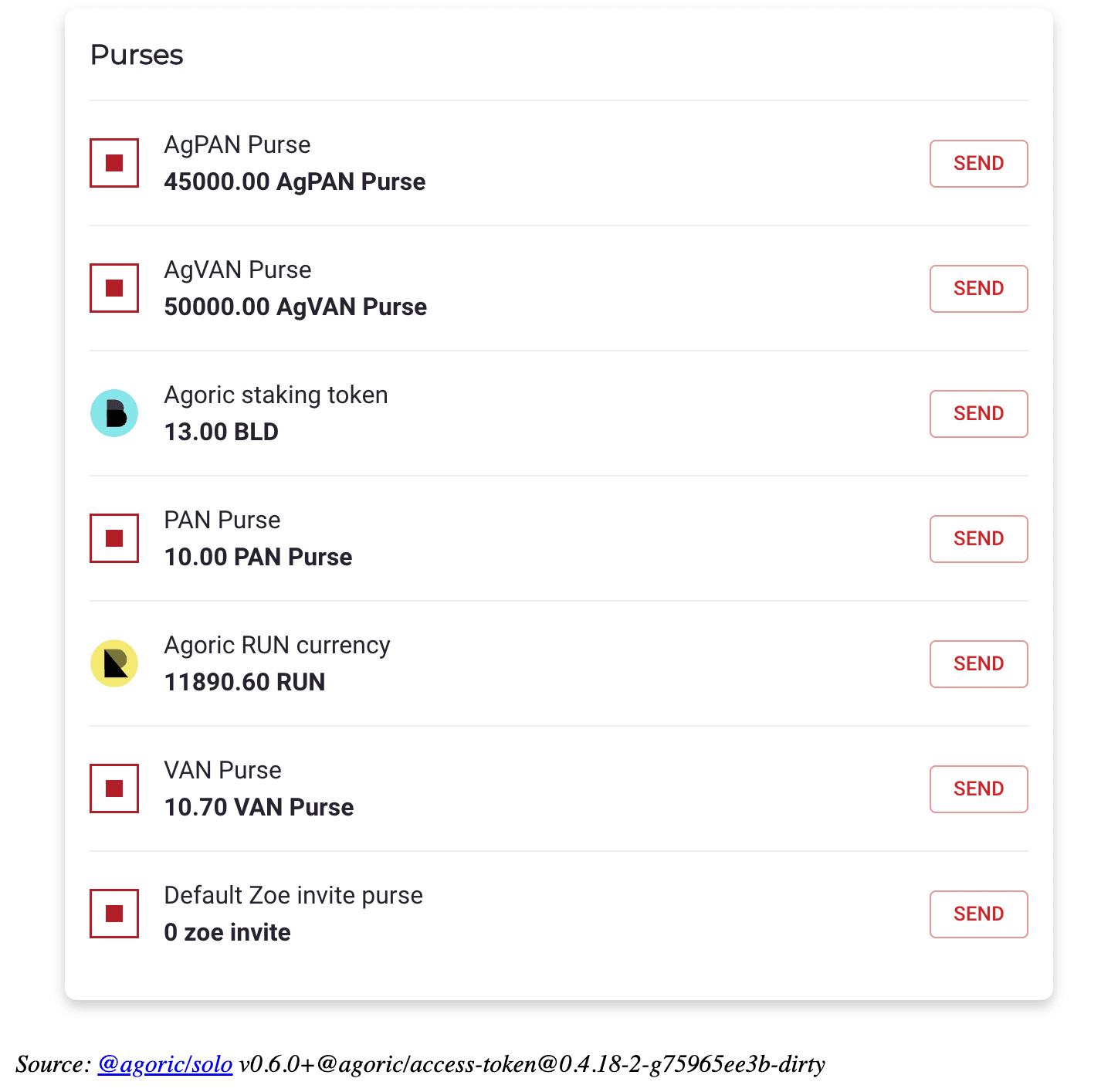
In the 'Activity' tab you can see that the 'Borrow Balance' for your loan is decreased and '% Of Limit' is also updated;
Close Loan
Now let's close our loan by paying all the remaining debt receiving the collateral we first put. Go to 'Close' tab in the loan dialog;
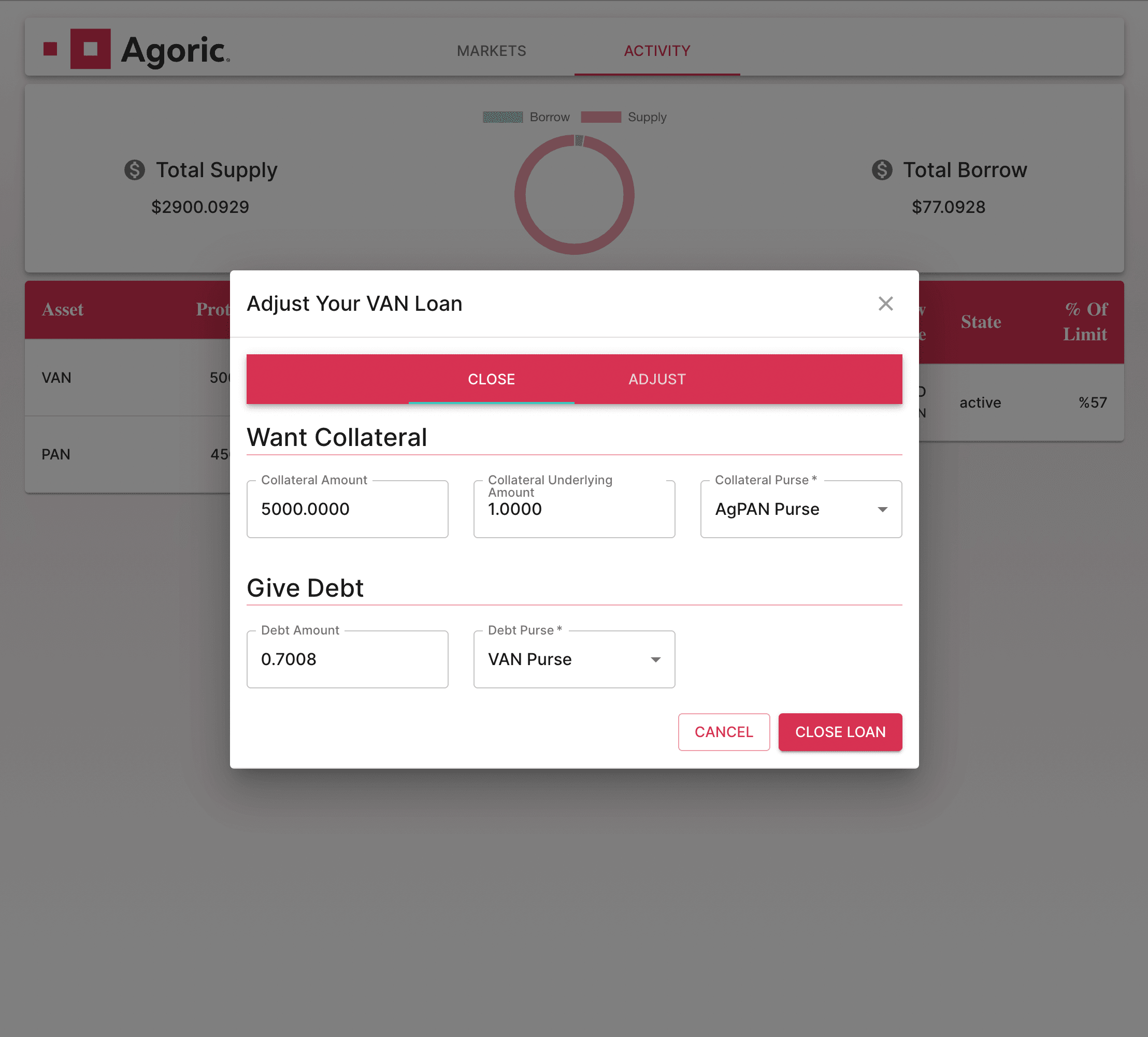
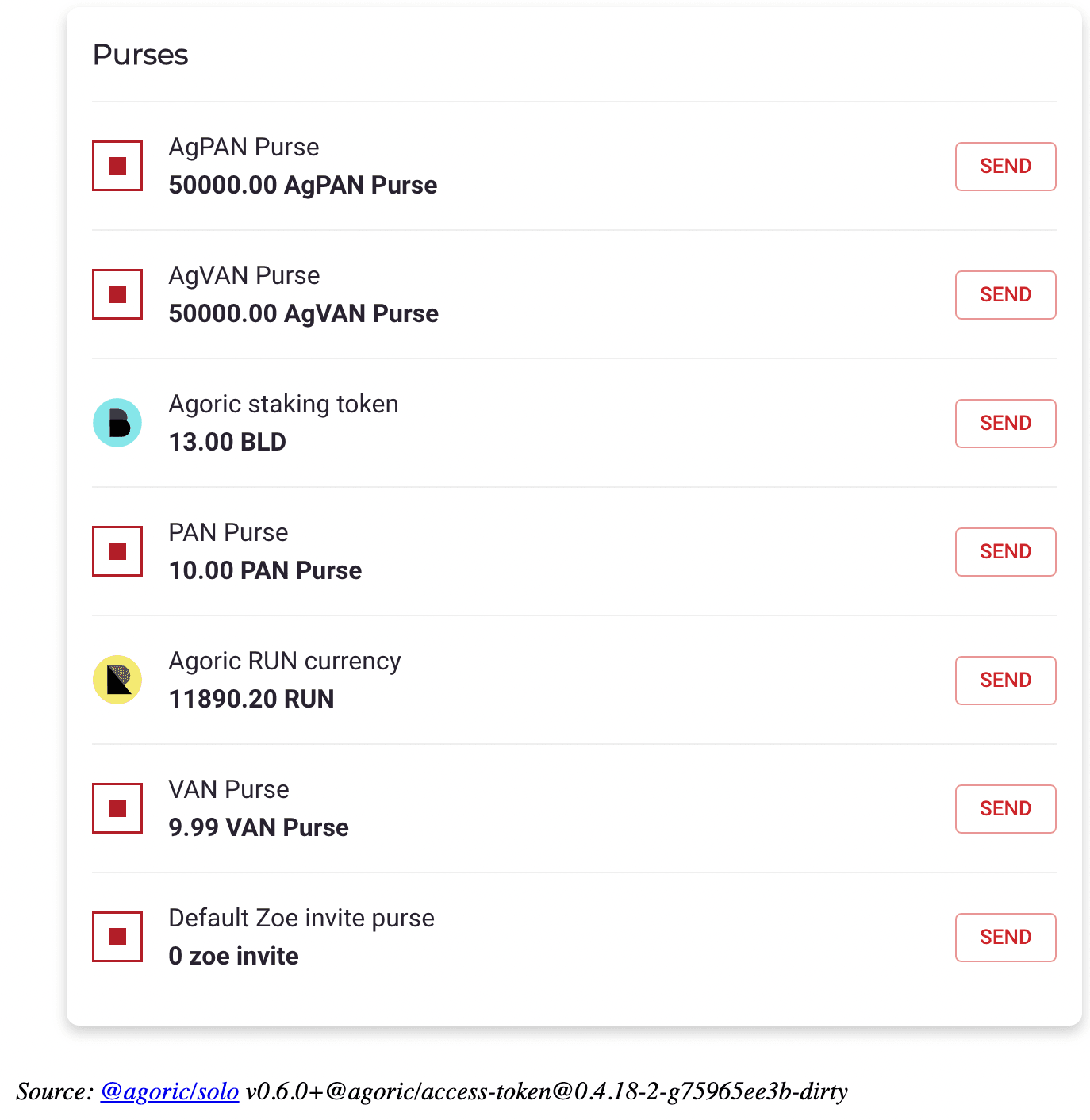
Go to your wallet approve the below transaction;
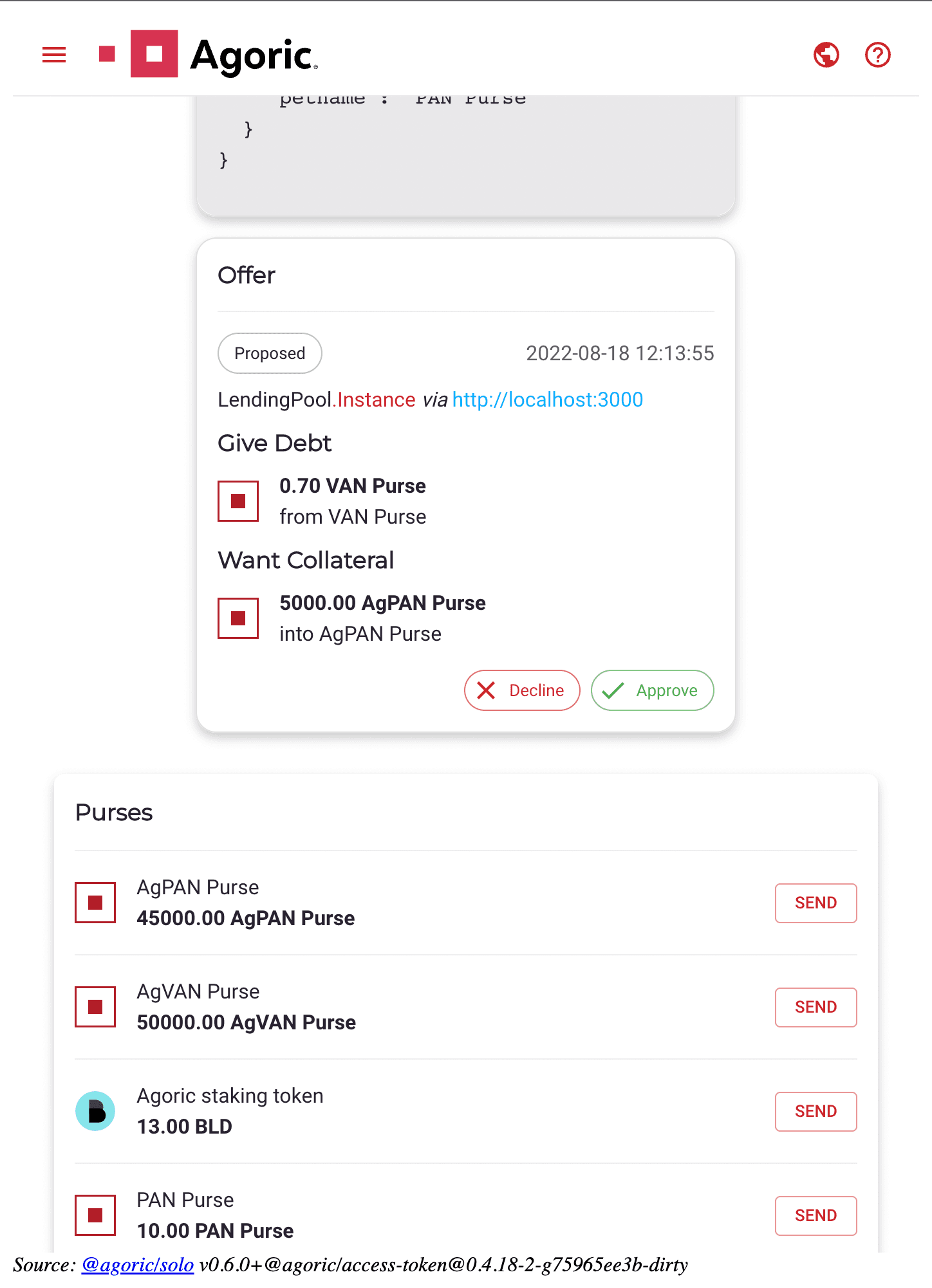
Purses before close operation;
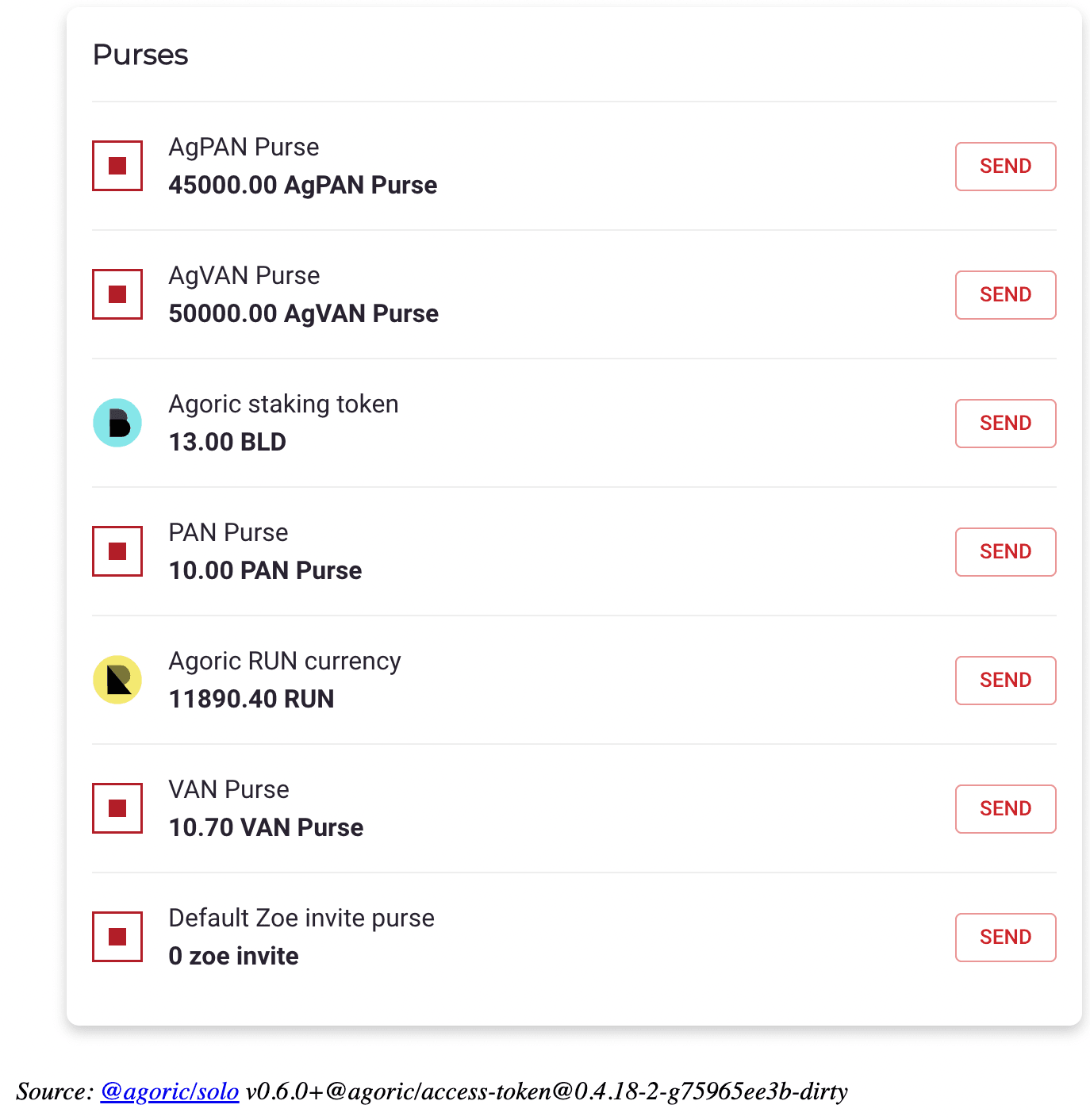
And after;
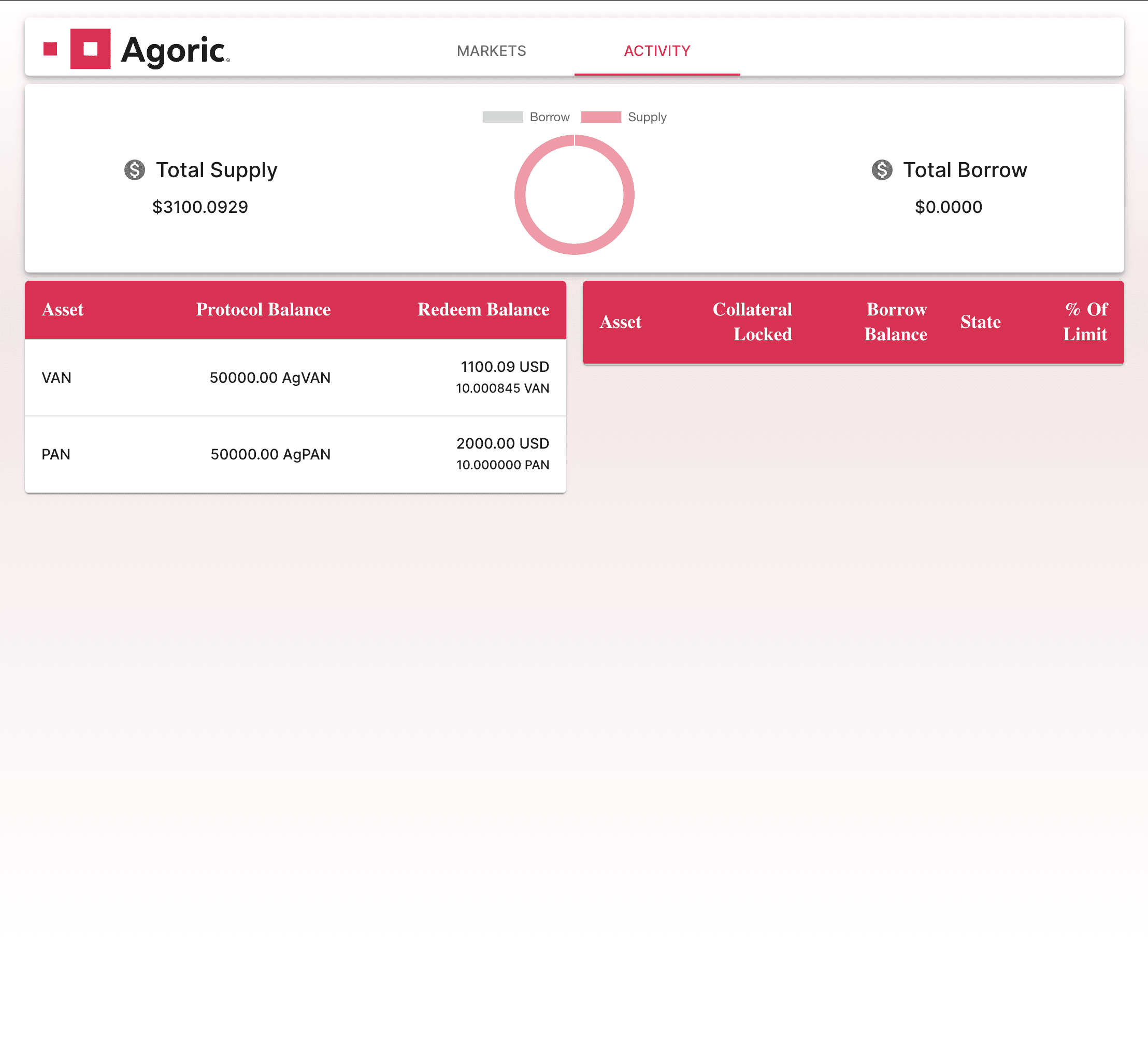
In the 'Activity' tab you can see that your loan is gone and your 'Total Borrow' is now $0;
Redeem Your Money
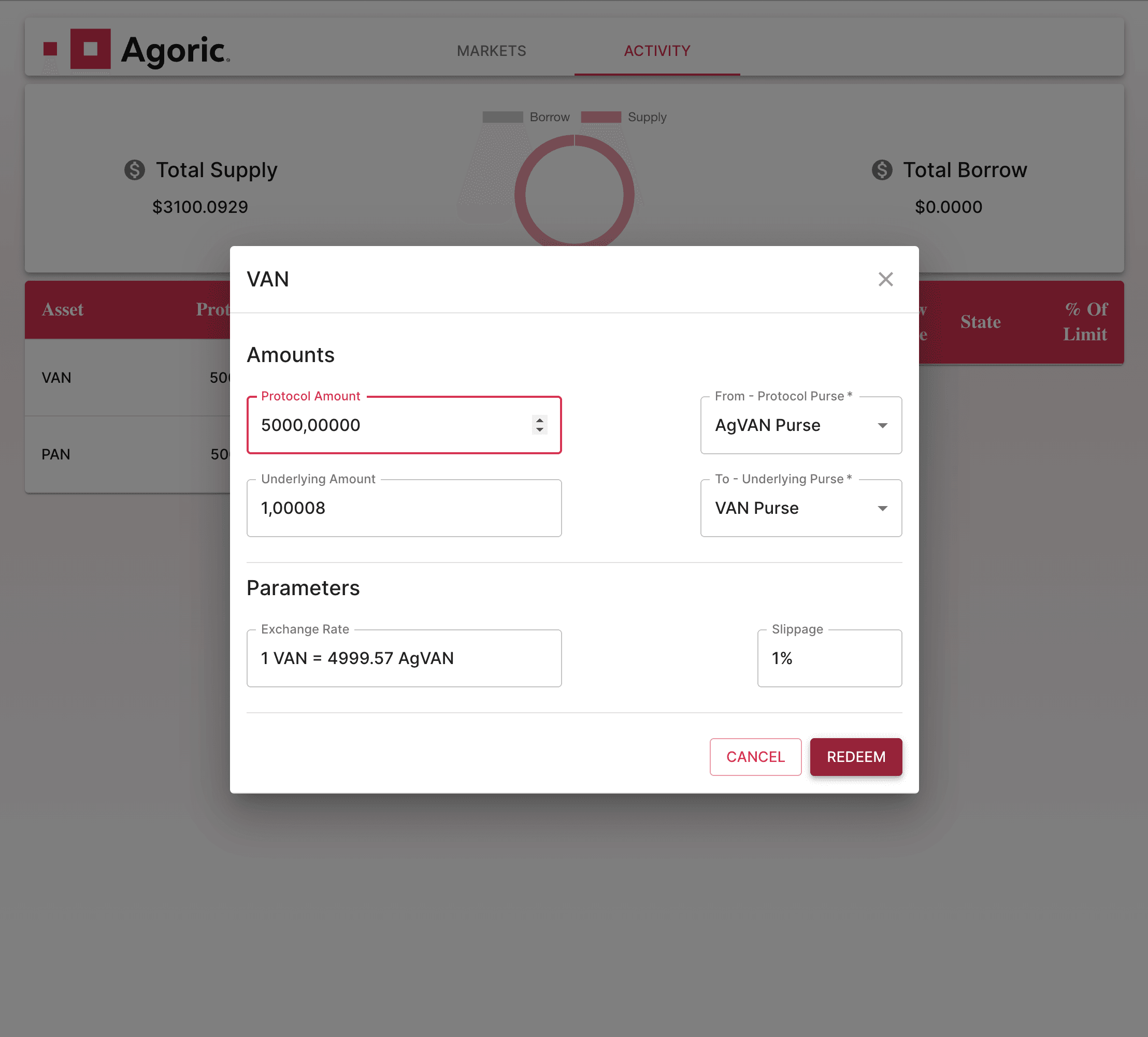
Now click on your VAN deposit on the left side of 'Activity' dialog. Below dialog should pop;
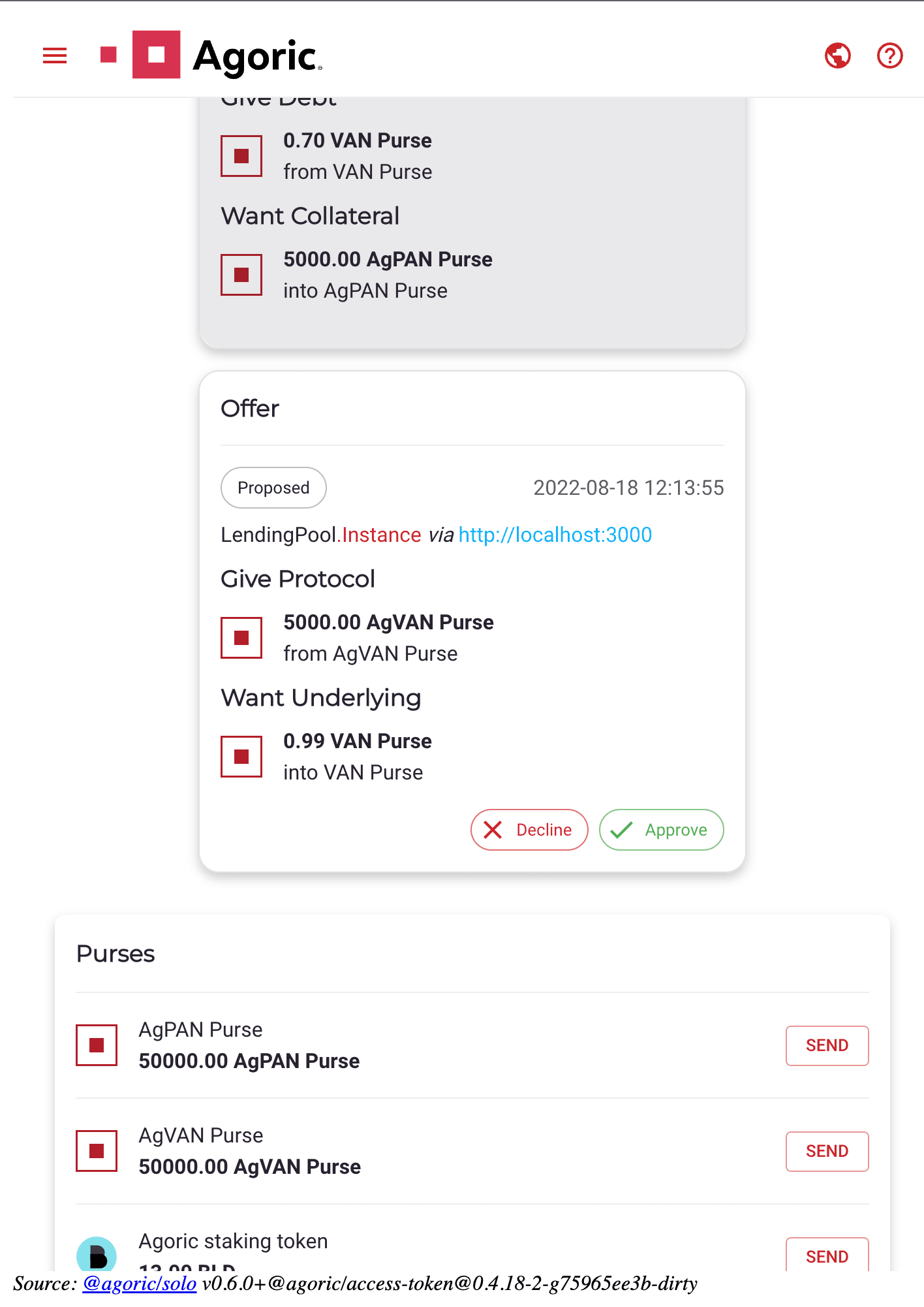
Now go to your wallet and approve the transaction;
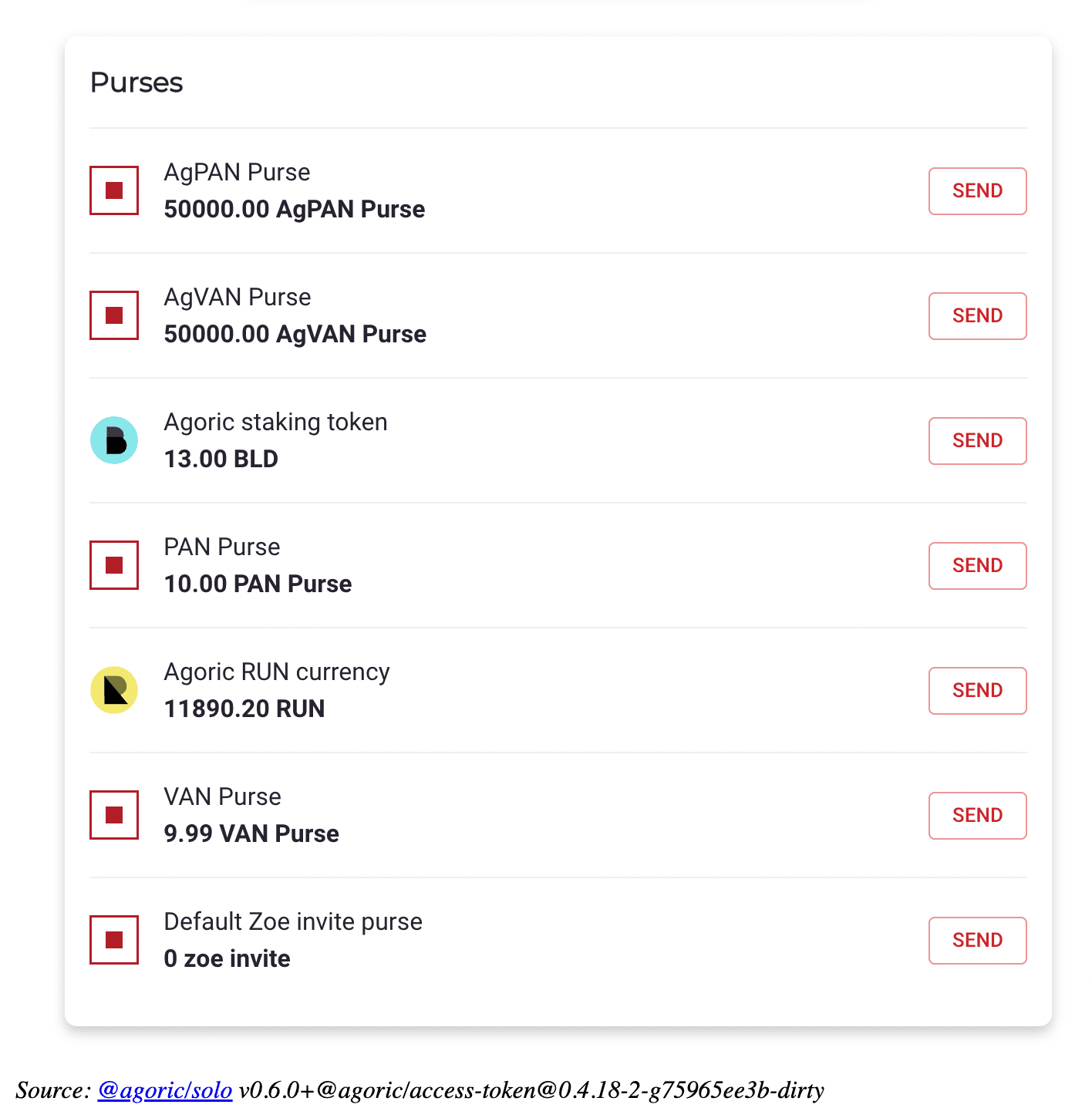
Purses before redeem;
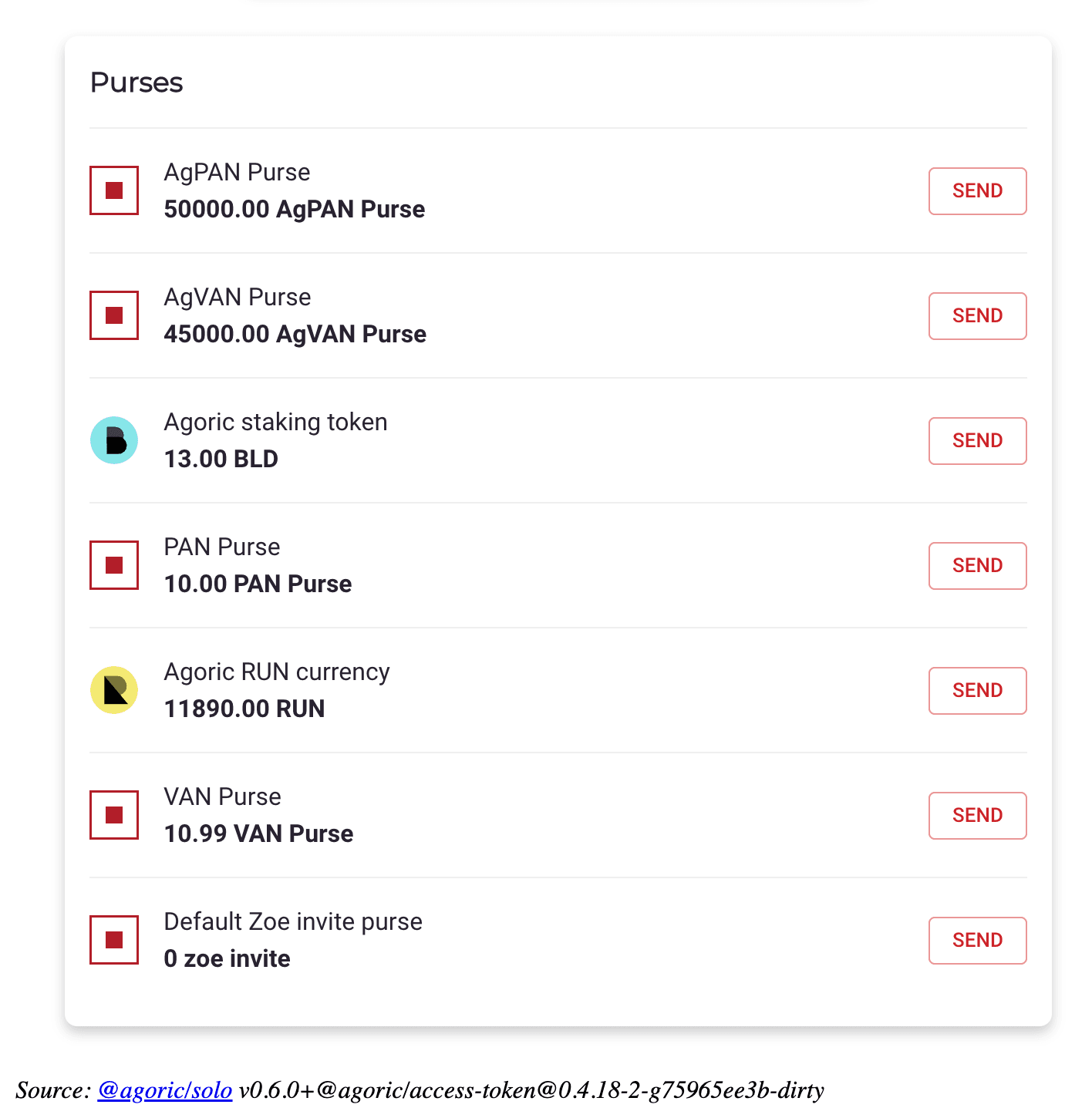
And after;
Conclusion
The following questions were answered in this article:
What Agoric is, how Agoric works, how Agoric development works
How to develop a smart contract with Agoric
How a pool based lending protocol works and it's most famous implementation (Compound Finance)
What our version of a pool based lending protocol looks like
An end-to-end user scenario
Real field implementations and practical examples of blockchain development, De-Fi development, DApp Development, Web3 development, Ethereum development, Smart Contract development, blockchain frameworks, blockchain protocols
See other
Articles